
Supergrow is best for
Marketing and communications teams that own LinkedIn content for several executives or subject-matter experts, including idea capture, writing, review and reporting.

Comparison
Supergrow helps teams get original ideas out of busy experts. AuthoredUp gives people who already write stronger editing, previews and analytics.
4.8/5 on G27-day free trial
AuthoredUp fits people who already write LinkedIn posts and want an editor, snippets, post history and analytics. Supergrow is stronger when the problem starts earlier: executives and experts have ideas, but not time to draft. Interviews capture what they know, Content DNA shapes posts in their voice, and marketing manages reviews and participation across accounts. Both support teams, but their value is different. If your bottleneck is producing credible posts from busy people, Supergrow solves more of the workflow.
Marketing and communications teams that own LinkedIn content for several executives or subject-matter experts, including idea capture, writing, review and reporting.
Individual writers, ghostwriters and small teams that create their own drafts and want rich formatting, previews, a searchable archive and deep LinkedIn analytics.
AuthoredUp improves a writer's LinkedIn workflow; Supergrow helps a team produce posts from other people's expertise.
| Feature | Supergrow | |
|---|---|---|
| Creating the post | ||
| Guided interview to create posts | ||
| AI writing assistance | Coauthor beta | |
| Personal voice context | Content DNA | Coauthor beta |
| Repurpose audio or files into posts | ||
| Writing and publishing | ||
| Rich formatting and readability tools | Basic editor | |
| Device-accurate LinkedIn previews | Preview | |
| Reusable snippets | Content Library | |
| LinkedIn scheduling | ||
| Team workflow | ||
| Multiple LinkedIn profiles | ||
| Draft collaboration | ||
| Assigned review and approval | Shared review links | |
| Participation challenges | ||
| Analytics and access | ||
| Team analytics | ||
| Searchable post archive | Limited | |
| Analytics CSV export | Team reports | |
| Analytics API on standard plan |
AuthoredUp charges per connected LinkedIn profile. Supergrow Teams bundles five accounts and the workflow to create their content.
AuthoredUp costs less for four profiles. That saving matters if people already write; compare the time needed to gather ideas and manage reviews when they do not.
The transition is about who produces the first draft, not just where it is scheduled.
Identify the executives or experts whose ideas marketing needs to capture. Writers who prefer AuthoredUp can keep it.
Connect their LinkedIn accounts, use past posts to set Content DNA and run first interviews.
Move important drafts into Supergrow, assign reviewers and decide which tool will schedule each profile.
Tick each statement that describes your team. The verdict updates as you go.
Tick the statements that match your program.We'll show which way it leans.
The work stays with the people behind the posts, from the first idea through publishing and reporting.
PostCast interviews make the first draft possible for someone who would not open an editor.
See AI interviews for experts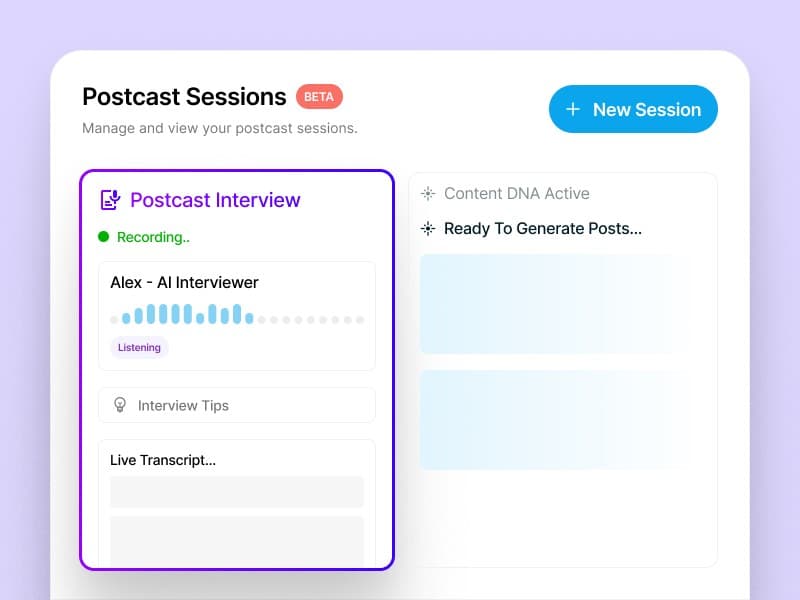
Content DNA holds each person's topics, audience and writing traits.
Content DNA in the post generator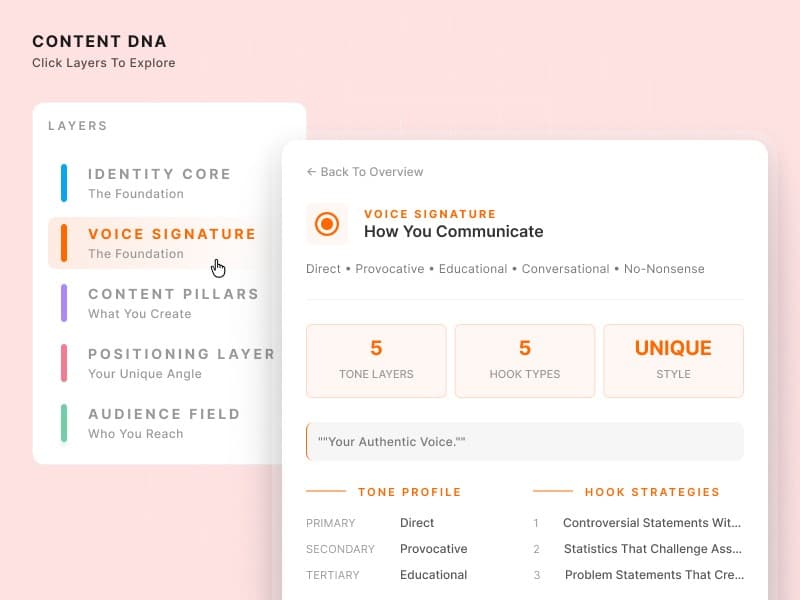
An article, PDF or video can become posts for selected participants.
Turn PDFs and videos into posts
A draft moves through feedback and approval before it reaches the calendar.
See the review and approval flow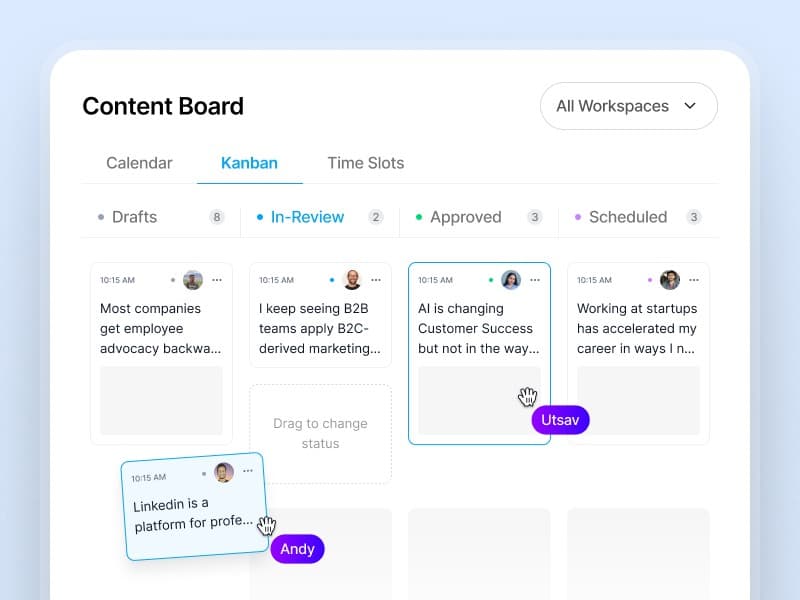
Team analytics show consistent publishers and members who need support.
Track advocacy program health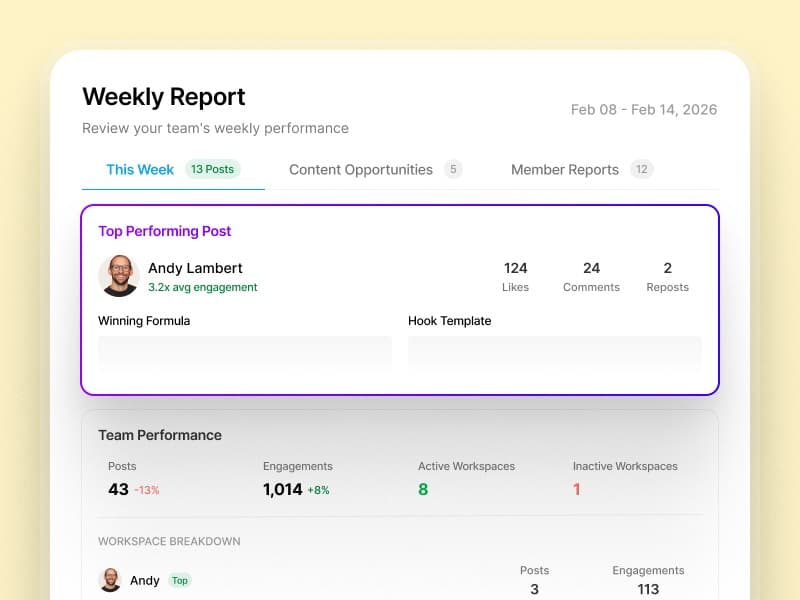
Marketing and comms leads on getting experts posting, keeping voices intact and staying in control.
A skeptical CTO approved his first drafts without a single edit
“Our CTO was skeptical—he'd rejected every ghostwritten draft we'd ever sent. After his first Supergrow interview, he approved the posts without a single edit. He said it actually sounded like him.”
 Eddie GuevarraHead of Marketing at Consalia
12 leaders posting consistently in the first month
“We'd been trying to launch an employee advocacy program for two years. Everyone agreed it mattered, but no one had time. Supergrow got 12 of our leaders posting consistently within the first month.”
 GrishchaGrowth at Join
Eight accounts, one view of every draft
“Managing 8 team members' LinkedIn® accounts used to mean constant Slack messages and last-minute surprises. Now I see every draft, every approval, every scheduled post in one place. The chaos is gone.”
 Tripti ChaddaManager at Frederic Fernandez & Associates
40+ team members posting regularly
“Getting our sales and customer success teams to post on LinkedIn® felt impossible. Once we launched challenges with leaderboards, everything changed. Now over 40 team members are posting regularly and actually competing for streaks.”
 Harriet BuntingAssociate PR and Communications Executive at Sage
Rated by Supergrow customers on G2.
Yes, if a team needs to create original posts from executives' and experts' ideas. AuthoredUp is a closer fit for people who already write and want better editing and analytics.
Its Coauthor AI writing feature is in beta. AuthoredUp's established strengths are editing, previews, snippets, post history and analytics.
Supergrow handles interviews, individual voice profiles, approvals and participation reporting. AuthoredUp Business supports multiple profiles and draft collaboration for people who write.
AuthoredUp Business is $14.95 per profile per month, so four profiles cost $59.80/month. Supergrow Teams is $199/month for five accounts and includes content capture and program tools.
Yes. A writer may prefer AuthoredUp for final editing while marketing uses Supergrow for the wider expert-content program. Avoid scheduling the same post twice.
Connect each LinkedIn account, build Content DNA, bring over drafts you need and set reviewers. Saved snippets and historical analytics remain in AuthoredUp.
Compare other platforms
 Supergrow vs MagicPostLinkedIn tool for AI writing, team workspaces, scheduling and lead detection from post engagement.Compare
 Supergrow vs PostbeamLinkedIn social selling platform for AI drafting, scheduling, warm leads and an optional flat-rate advocacy add-on.Compare
 Supergrow vs SocialKitLinkedIn team workspace with a per-person AI assistant (Lily), voice-to-post and contests for personal profiles.Compare
They bring the ideas; Supergrow handles the first draft and the team workflow. Start with five accounts and see how the review process feels.