
Supergrow is best for
B2B marketing teams building a focused LinkedIn program around a defined group of experts, with ideas, drafts, reviews and participation all managed together.
Comparison
Supergrow turns employee expertise into original LinkedIn posts. Sprout Social manages brand social and customer conversations across networks, with advocacy as an add-on.
4.8/5 on G27-day free trial
Sprout Social gives teams cross-network publishing, a shared inbox, customer-care tools and an Employee Advocacy add-on for distributing approved stories. Supergrow is the better fit when the goal is original LinkedIn content from executives and experts. Interviews bring out their ideas, Content DNA helps each person sound like themselves, and marketing can oversee approvals and participation. If you need a complete brand social operation, Sprout Social fits; if you need a repeatable expert-content program, start with Supergrow.
B2B marketing teams building a focused LinkedIn program around a defined group of experts, with ideas, drafts, reviews and participation all managed together.
Social and customer-care teams managing brand profiles, messages, reviews, reporting and employee amplification across multiple networks.
Supergrow covers the LinkedIn content program; Sprout Social covers a wider brand-social operation.
| Feature | Supergrow | Sprout Social |
|---|---|---|
| Content creation | ||
| AI writing support | ||
| Guided interview to create posts | ||
| Individual voice profile | Content DNA | Brand AI assistance |
| Repurpose expert source material | Brand content workflow | |
| Publishing and care | ||
| LinkedIn publishing | ||
| Multi-network publishing | ||
| Shared inbox for messages | ||
| Customer review management | ||
| Advocacy and collaboration | ||
| Employee advocacy | Paid add-on | |
| Approved content feed | Content Library | Advocacy add-on |
| Approval workflow | Professional+ | |
| Team participation reporting | Advocacy add-on | |
| Measurement and access | ||
| LinkedIn team analytics | ||
| Cross-network reporting | ||
| Social listening | Paid add-on | |
| API for social management | Enterprise | Advanced+ |
Sprout Social's base suite is priced per seat. Employee Advocacy is an additional quote, available from Standard upward.
The $79/seat Essentials entry plan is not the advocacy comparison. Price the Standard plan and its Employee Advocacy add-on for the number of team users you need.
There is no need to move brand channels or customer care to start a LinkedIn expert-content pilot.
Keep Sprout Social for brand publishing, messages and reviews. Select the executives and experts whose original LinkedIn posts need a different workflow.
Connect each participant's LinkedIn account, set Content DNA and run the first interviews to capture real examples.
Assign reviewers, schedule approved posts and compare participation with the rest of the social program.
Tick each statement that describes your team. The verdict updates as you go.
Tick the statements that match your program.We'll show which way it leans.
The work stays with the people behind the posts, from the first idea through publishing and reporting.
PostCast interviews surface examples and opinions before any post is written.
See how interviews work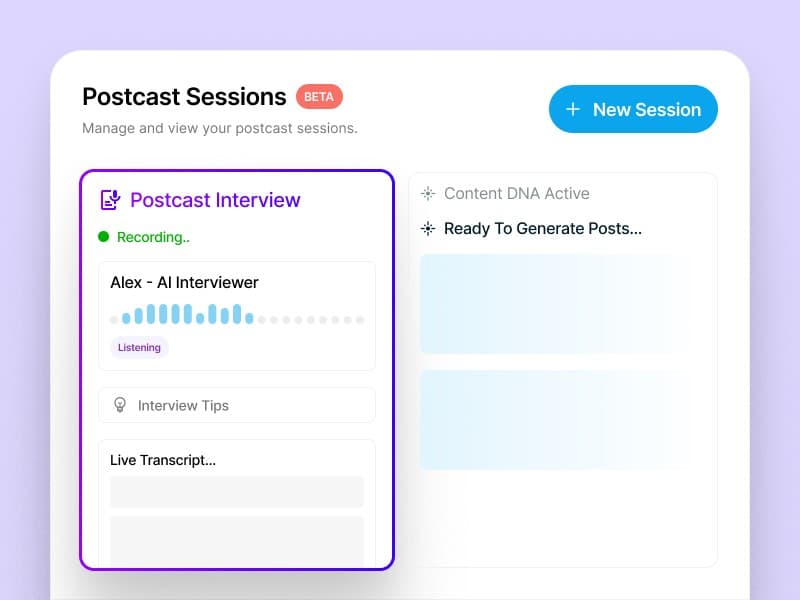
Content DNA gives each participant a separate writing profile and topic context.
Explore Content DNA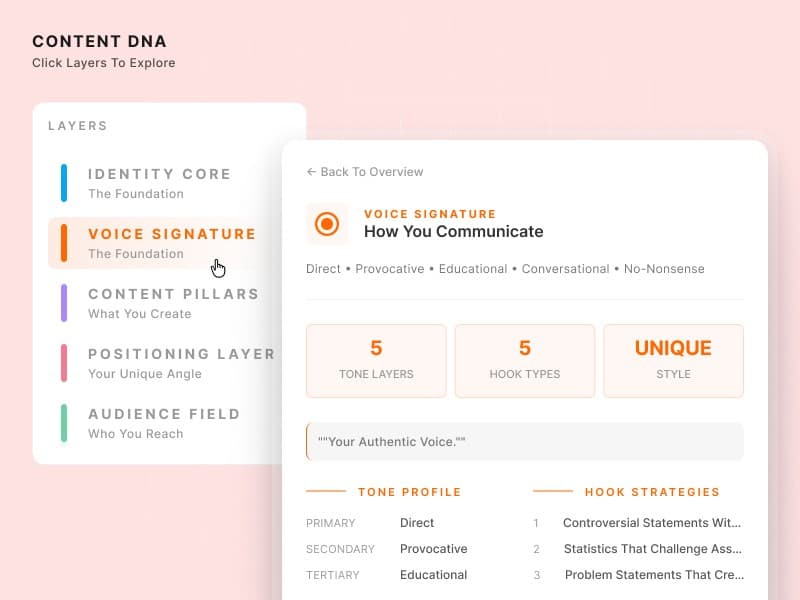
Marketing sees drafts, reviews and scheduled posts for the whole LinkedIn group.
See team management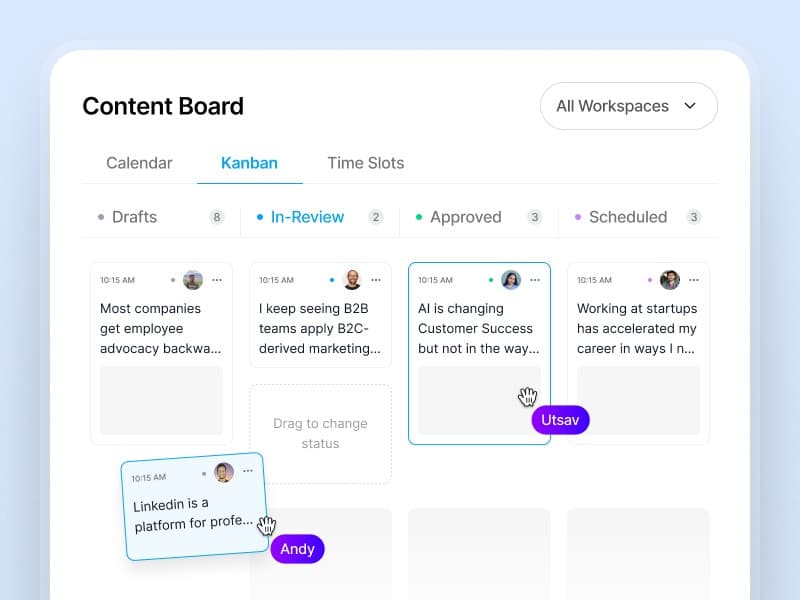
A useful article or event can become different posts for relevant experts.
See content creation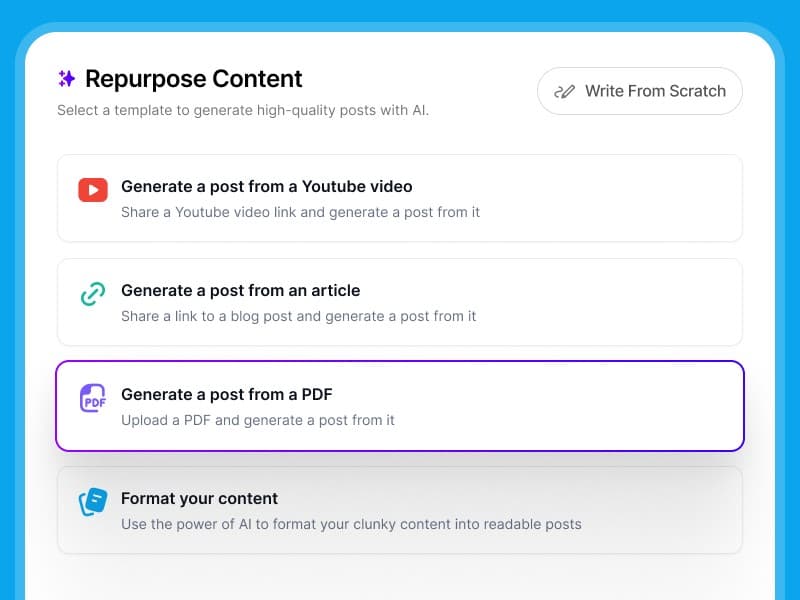
Analytics show the people publishing and the LinkedIn results of their work.
See team analytics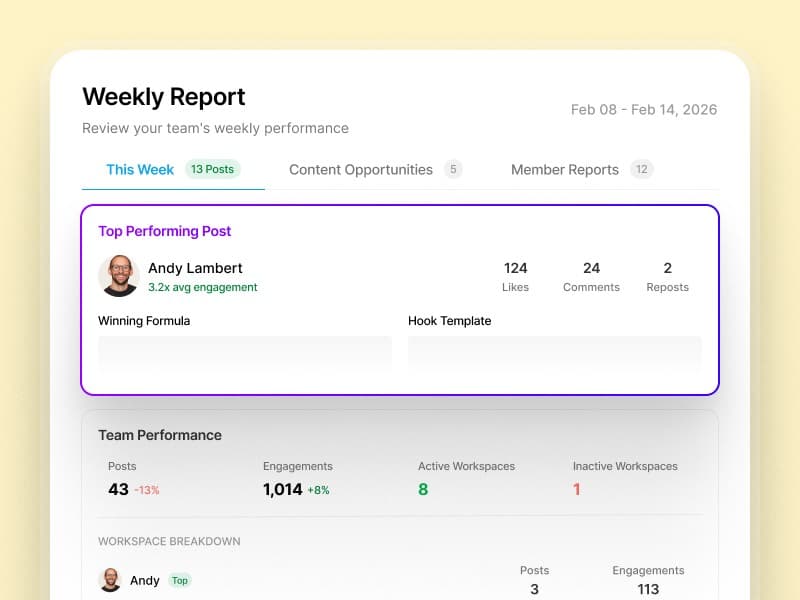
Marketing and comms leads on getting experts posting, keeping voices intact and staying in control.
A skeptical CTO approved his first drafts without a single edit
“Our CTO was skeptical—he'd rejected every ghostwritten draft we'd ever sent. After his first Supergrow interview, he approved the posts without a single edit. He said it actually sounded like him.”
 Eddie GuevarraHead of Marketing at Consalia
12 leaders posting consistently in the first month
“We'd been trying to launch an employee advocacy program for two years. Everyone agreed it mattered, but no one had time. Supergrow got 12 of our leaders posting consistently within the first month.”
 GrishchaGrowth at Join
Eight accounts, one view of every draft
“Managing 8 team members' LinkedIn® accounts used to mean constant Slack messages and last-minute surprises. Now I see every draft, every approval, every scheduled post in one place. The chaos is gone.”
 Tripti ChaddaManager at Frederic Fernandez & Associates
40+ team members posting regularly
“Getting our sales and customer success teams to post on LinkedIn® felt impossible. Once we launched challenges with leaderboards, everything changed. Now over 40 team members are posting regularly and actually competing for streaks.”
 Harriet BuntingAssociate PR and Communications Executive at Sage
Rated by Supergrow customers on G2.
For original LinkedIn content from executives and experts, yes. It does not replace Sprout Social's brand publishing, Smart Inbox, customer care or listening.
It offers Employee Advocacy as a paid add-on on Standard and higher plans. The workflow centers on approved stories that employees can share.
Supergrow is the better fit when executives need interviews to turn their own thinking into posts. Sprout Social is better for a broader brand-social operation.
Supergrow Teams is $199/month for five LinkedIn accounts. Sprout Social Standard starts at $199 per seat per month billed annually, with Employee Advocacy quoted separately.
Yes. Sprout Social can run brand channels and the inbox while Supergrow runs original LinkedIn posts for executives and experts.
Select participants, connect their LinkedIn accounts, build voice profiles, capture the first ideas and set review and reporting.
Compare other platforms
Keep your brand channels where they are. Use Supergrow to help executives and experts publish the knowledge only they can bring to LinkedIn.