Supergrow is best for
Marketing and communications teams responsible for several LinkedIn voices. Experts contribute ideas, review drafts and stay visible without carrying the writing process themselves.

Comparison
Supergrow helps people turn their expertise into LinkedIn posts. Ordinal helps social teams plan and amplify posts across several networks.
4.8/5 on G27-day free trial
Supergrow fits when the program depends on executives and experts sharing their thinking on LinkedIn. Interviews help them get ideas out, Content DNA keeps the voices distinct, and marketing can manage reviews and participation. Ordinal is built around a shared social calendar: teams draft, approve and publish across networks, then coordinate engagement from colleagues. It offers broader distribution and developer access; Supergrow goes deeper on creating original content from people who rarely sit down to write a post.
Marketing and communications teams responsible for several LinkedIn voices. Experts contribute ideas, review drafts and stay visible without carrying the writing process themselves.
Social teams and agencies managing a shared calendar across networks, approvals and coordinated early engagement on published posts.
The choice turns on whether the bottleneck is original expert content or coordinated distribution.
| Feature | Supergrow | |
|---|---|---|
| Content creation | ||
| AI-assisted drafting | ||
| Guided interview to create posts | ||
| Person-specific voice context | Content DNA | Ordinal AI context |
| One campaign, individual drafts | Per-member adaptation | Post variants |
| Publishing | ||
| LinkedIn scheduling | ||
| Other social networks | ||
| Shared content calendar | ||
| Scheduled first comments | ||
| Team participation | ||
| Approval workflow | ||
| Coordinated colleague engagement | ||
| Posting challenges | Advocacy on higher tiers | |
| Team analytics | ||
| Operations and access | ||
| API access on standard team plan | Pro plan | |
| MCP access | ||
| Webhooks | Growth plan | |
| Self-serve trial |
Both show a price for four profiles, but Ordinal also sells wider channel coverage and engagement coordination.
Ordinal Starter is cheaper than Pro but has tighter limits. Its advanced advocacy features sit on higher tiers, so compare the plan that matches your actual workflow.
Choose which LinkedIn profiles belong to the expert-led program and which channels stay in Ordinal.
Select executives and experts whose knowledge should become regular LinkedIn posts. Keep brand channels and other networks in Ordinal if needed.
Invite participants, reconnect LinkedIn and create a Content DNA profile for each. Use interviews to capture the first stories.
Assign reviewers, schedule approved drafts and remove duplicate LinkedIn posts from Ordinal before launch.
Tick each statement that describes your team. The verdict updates as you go.
Tick the statements that match your program.We'll show which way it leans.
The work stays with the people behind the posts, from the first idea through publishing and reporting.
PostCast asks follow-up questions, then turns a person's answers into editable LinkedIn content.
See how PostCast interviews work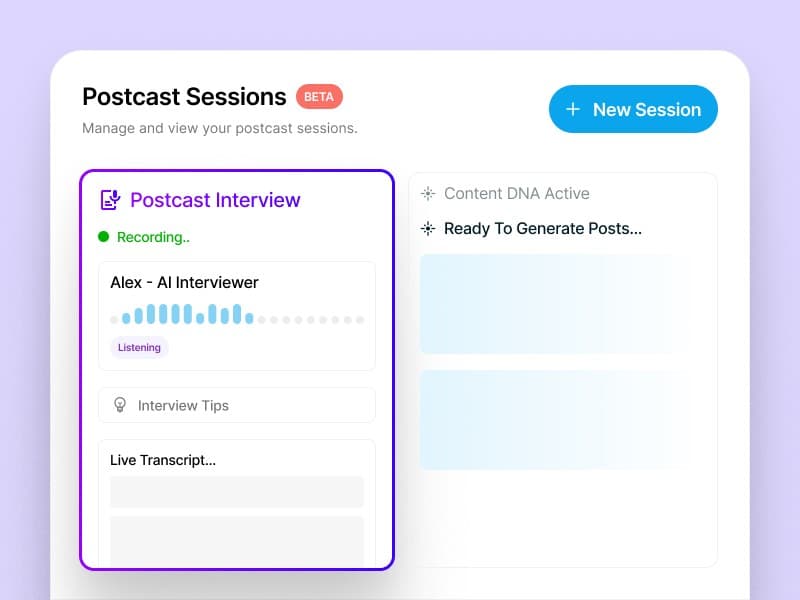
Content DNA holds topics, audience and style so the team does not publish one generic voice.
Explore the AI post generator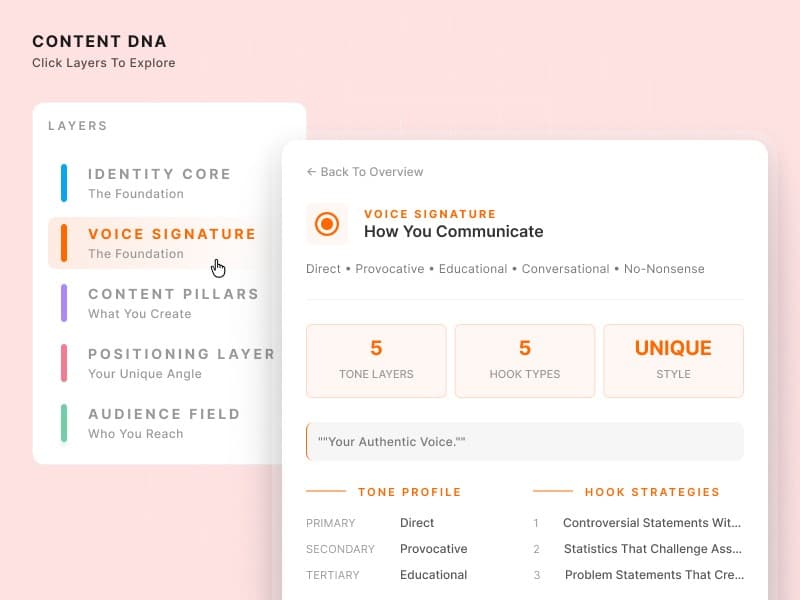
One source can be adapted for selected people instead of pushed as identical copy.
Turn one source into drafts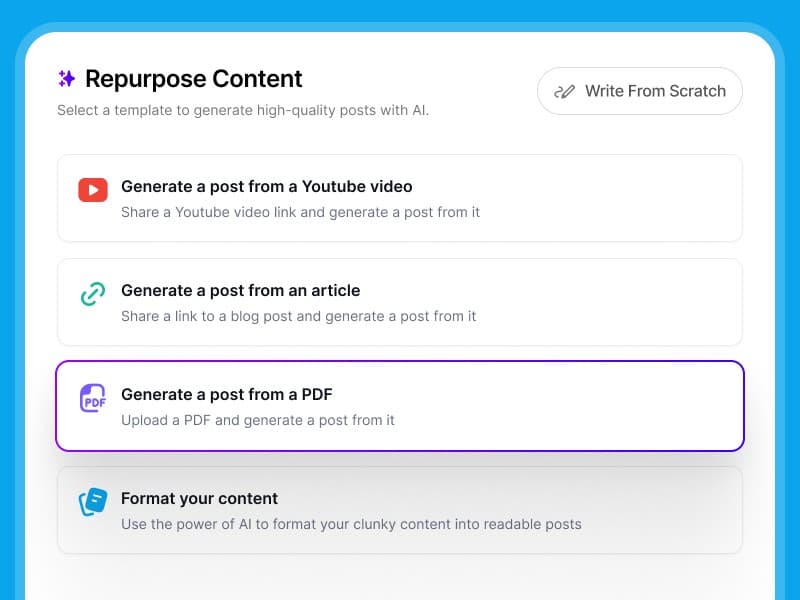
Marketing coordinates feedback while the participant signs off on the post under their name.
Manage reviews and sign-off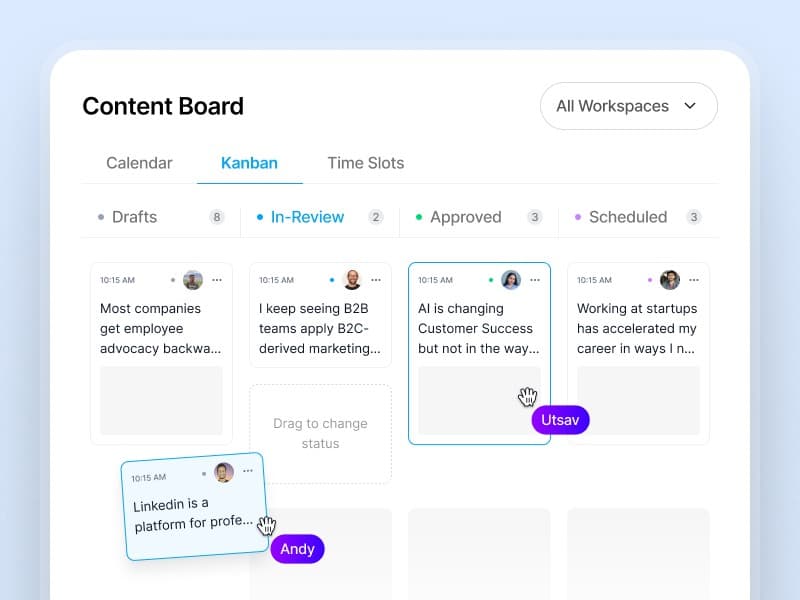
Challenges and team analytics reveal consistency across the roster, not just the reach of one post.
See challenges and leaderboards
Marketing and comms leads on getting experts posting, keeping voices intact and staying in control.
A skeptical CTO approved his first drafts without a single edit
“Our CTO was skeptical—he'd rejected every ghostwritten draft we'd ever sent. After his first Supergrow interview, he approved the posts without a single edit. He said it actually sounded like him.”
 Eddie GuevarraHead of Marketing at Consalia
12 leaders posting consistently in the first month
“We'd been trying to launch an employee advocacy program for two years. Everyone agreed it mattered, but no one had time. Supergrow got 12 of our leaders posting consistently within the first month.”
 GrishchaGrowth at Join
Eight accounts, one view of every draft
“Managing 8 team members' LinkedIn® accounts used to mean constant Slack messages and last-minute surprises. Now I see every draft, every approval, every scheduled post in one place. The chaos is gone.”
 Tripti ChaddaManager at Frederic Fernandez & Associates
40+ team members posting regularly
“Getting our sales and customer success teams to post on LinkedIn® felt impossible. Once we launched challenges with leaderboards, everything changed. Now over 40 team members are posting regularly and actually competing for streaks.”
 Harriet BuntingAssociate PR and Communications Executive at Sage
Rated by Supergrow customers on G2.
Yes, for a LinkedIn program built around original posts from employees and executives. It does not replace Ordinal's multi-network calendar or coordinated team engagements.
Supergrow is stronger when executives need interviews to surface ideas and approve posts in their own voice. Ordinal fits teams that already have the content and need scheduling and amplification.
Yes. Ordinal lists advocacy features on higher plans, alongside its team engagements and multi-network publishing.
Supergrow Teams costs $199/month for five LinkedIn accounts. Ordinal Pro costs $265/month for four social profiles on monthly billing; higher advocacy features may require Growth or Enterprise.
Yes. Ordinal can run brand channels and amplification while Supergrow handles original expert LinkedIn posts. Keep one publishing owner for each profile.
Participants reconnect LinkedIn, build voice profiles and complete interviews. Reviewers and schedules are set again in Supergrow; Ordinal's approval history does not transfer.
Compare other platforms
 Supergrow vs AmbassifyEmployee advocacy platform for campaign sharing, Personal Posts, gamification and multilingual programs.Compare
 Supergrow vs DSMN8Enterprise employee advocacy platform for distributing brand-approved content across a whole workforce.Compare
 Supergrow vs EveryoneSocialEnterprise advocacy platform that activates executives and employees to share content across social networks and workplace apps.Compare
 Supergrow vs GaggleAMPEmployee advocacy platform that drives participation with manager-assigned activities, points and redeemable rewards.Compare
 Supergrow vs PoppuloEmployee experience platform, formerly Sociabble, that adds social sharing to its intranet, email, mobile app and recognition tools.Compare
 Supergrow vs PostBeyondEmployee advocacy and social selling platform that gives employees a curated library of approved content to share.Compare
 Supergrow vs VulseLinkedIn-only employee advocacy platform with tone matching, Amplify rewrites and published per-seat pricing.Compare
Bring the experts you want to activate. Supergrow can turn their first conversations into approved LinkedIn posts and show how participation develops.