
In March, LinkedIn changed how it ranks the feed. The new system reads your post. On July 30, it added a button for reporting AI slop, and reported posts lose reach.
Both changes target posts with nothing specific in them. Most of those never get reported anyway. Nobody stops to read them, so they lose reach on their own.
Supergrow has always been built to sound like the person whose name is on the post. Now LinkedIn checks.
So most of what we shipped in the last six weeks helps you check it first. Here it is, sorted by who it's for.
1. For everyone
Engage 2.0
Commenting builds a personal brand as much as posting does. It is also the part people skip, because doing it properly means twenty open tabs and a lost hour. That is the part we rebuilt.
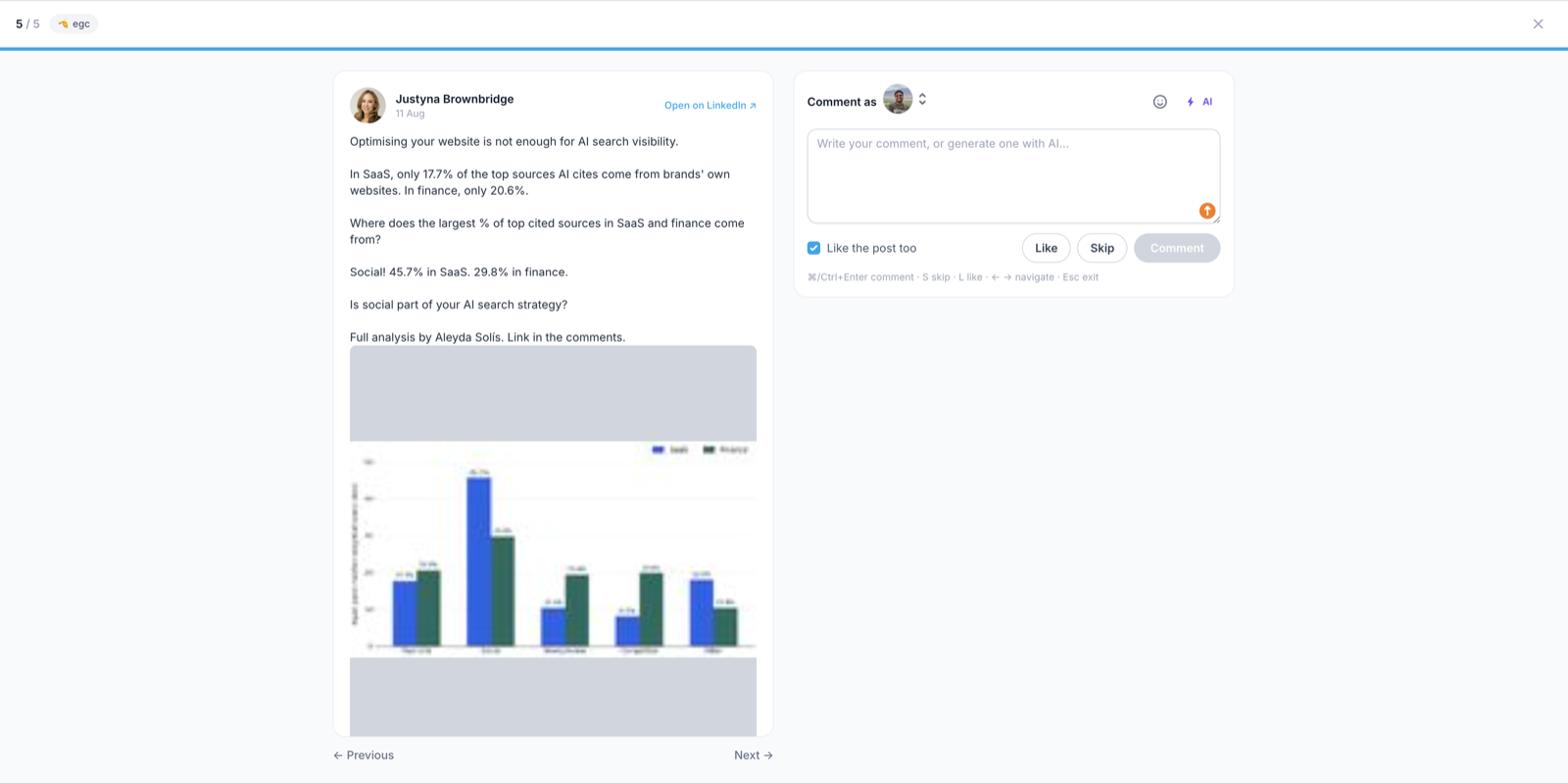
Focus Mode. Your list, one post at a time, with a counter so you know how far through you are. The post sits on the left and the comment box on the right, so you never leave for LinkedIn. Write the comment yourself or generate one, tick "like the post too", and move on.
It is built for the keyboard. S skips, L likes, Cmd+Enter comments, the arrow keys move you through the list, and Esc gets you out.
Focus mode
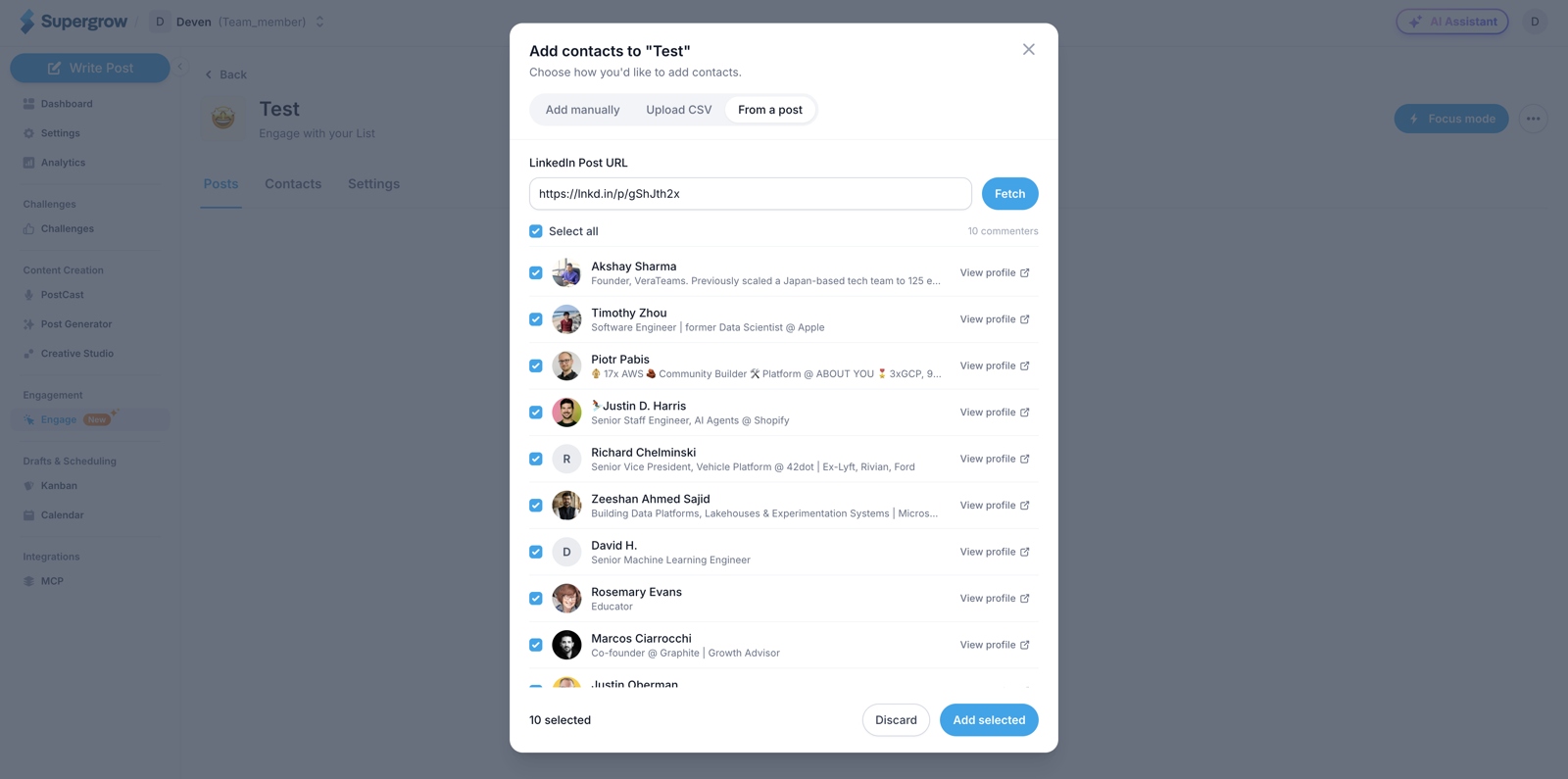
Build a list from a post's comment section. Until now you built a list by hand or from a CSV. Now there is a third way. Paste any LinkedIn post link, including a short lnkd.in one, and you get the commenters back with their name, headline, and photo. Tick the ones worth talking to, open a profile first if you want to check, and add them in one go.
The people who commented on a post about the problem you solve are a better list than anything you can buy.
Engage works with company page accounts now, too, and you choose which account you are commenting as.
Build a list from a comment section
Post Score now gives you two scores
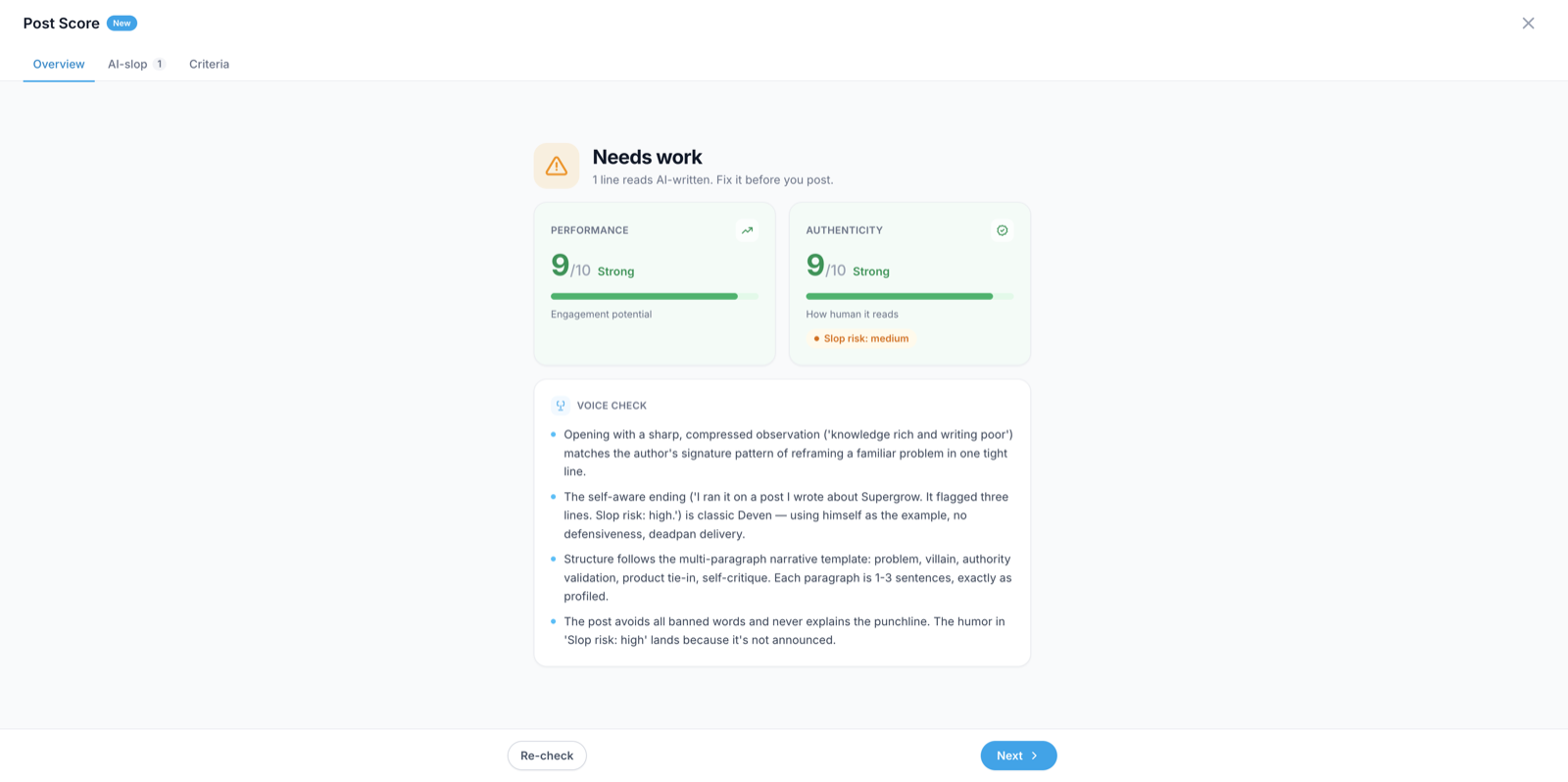
The old Post Score gave you one number out of ten and some general advice. But a post can be well built and still sound like a machine wrote it. One number hides that.
Now it opens with a verdict, Ready to post or Needs work, and a one-line reason: "One line reads AI-written. Fix it before you post." Then it shows the two scores behind that verdict.
Performance, out of 10. Engagement potential. Five things, each worth up to two points: Hook Quality, Clarity and Coherency, Easy to read, Call-To-Action, and Originality. Add a link and you lose a point, because LinkedIn still does not like sending people away.
Authenticity, out of 10. How human it reads, with a slop risk of low, medium or high.
Below them is a voice check against your own writing. A second tab lists the slop it found, worst first, with the count on the tab itself so you know how much there is. Each one quotes the line, says what is wrong with it, and gives you a rewrite you can paste. Apply it and you see the change in a live preview.
Some of what it catches: "It's not X. It's Y." openers, throat-clearing, colon reveals, puffery, "studies show" with no study, and long runs of em dashes.
It reads your Content DNA first, so your blunt lines, your swearing, and your habit of starting sentences with "And" do not get flagged. It names the pattern instead of guessing who wrote the post. You can look at the line it quoted and disagree with it.
It is LinkedIn's slop button, pointed at your draft, while you can still fix it.
Post Score
Post Score from Claude
score_post is in the Supergrow MCP skill, with the rewrites included, and it no longer returns an empty result with every score set to zero. Score your own draft, or a client's, without opening the app.
Content DNA works before you have posted
Content DNA learned your voice by reading your old posts. That was no help if you had never posted. Executives and sales reps opened Supergrow to a blank page and mostly stayed there.
There are three ways in now:
-
Org admins can build a Content DNA template and apply it across a workspace before anyone is invited.
-
New users get a short written interview. Who you are, what you believe about your field, who you want to reach, and what you want out of it.
-
Your answers come back as a draft voice profile. You read it and confirm it.
You no longer need a LinkedIn URL to create a workspace.
Content DNA stopped inventing careers
A user connected their profile and Content DNA decided they were a marine biologist. It had read the diving mask and tropical fish emojis in their headline. The profile lookup behind it had returned their name and nothing else, so that was all it had, and it guessed.
That lookup is gone. An empty profile now fails instead of guessing.
2. For admins running employee advocacy
Org Analytics, rebuilt
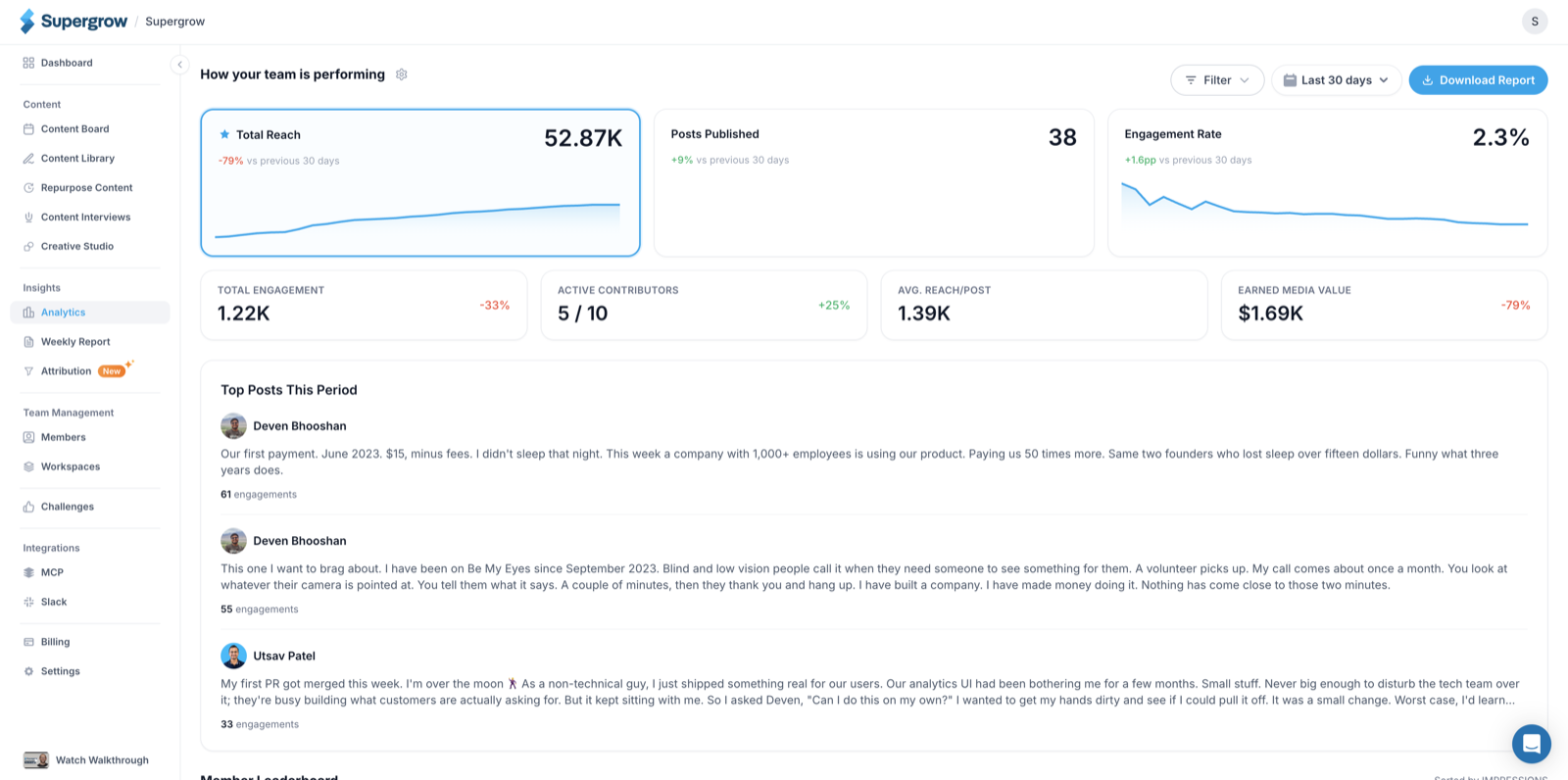
Three headline cards carry a sparkline each, with the smaller numbers on a compact row underneath. Every card opens a panel with a full chart, so "reach went up" becomes "reach went up, and here is the week it happened." Each one shows its change against the previous period.
Under that, Top Posts This Period shows the posts behind the numbers, with the member leaderboard below it. The Trends tab got the same treatment, plus a post table you can filter by format. Picking a custom range is a simple From/To form now.
Org analytics
You pick the headline metric
Earned Media Value used to lead the dashboard. Six weeks into a program, on a shared screen, "$1.69K earned" is a number nobody can act on and everybody asks about.
Now you pick it. Your choice gets a star and leads the grid, and everything else drops to the compact row, EMV included. For a new program, posts published or total reach usually works better.
Workspace tags
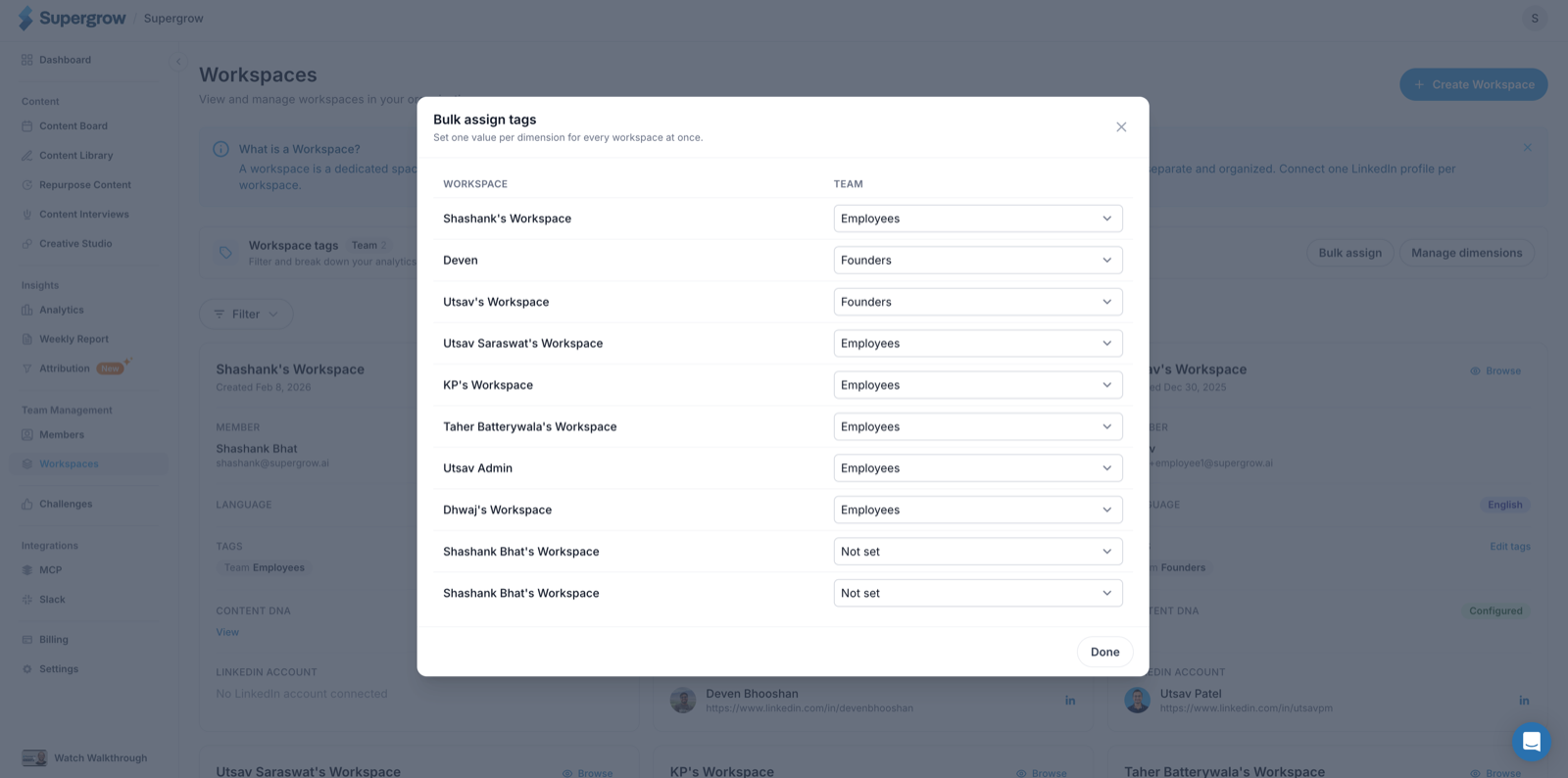
You define the dimensions. Team, market, expertise level, whatever your program is organised around. Then set a value on each workspace, or use bulk assign to do the whole roster in one pass instead of one person at a time.
Then filter and group by those tags across the roster, team analytics, the calendar, and the Kanban board. Analytics takes more than one tag at a time. Every filter sits in the URL, so "DACH, senior, last 30 days" is a link you can send someone.
One customer was tracking this by hand in Notion, across 34 people.
Bulk assign tags
See the week before it happens
Weekly reports tell you what already went out. Upcoming Schedule shows what is queued for each account, this week and next.
You can also see how "on track" is worked out. It has always been the number of time slots set for that member, but nobody could see that, so people showed up as behind for no clear reason. The card says it now, and you can edit slots right there.
Hand a draft to several people at once
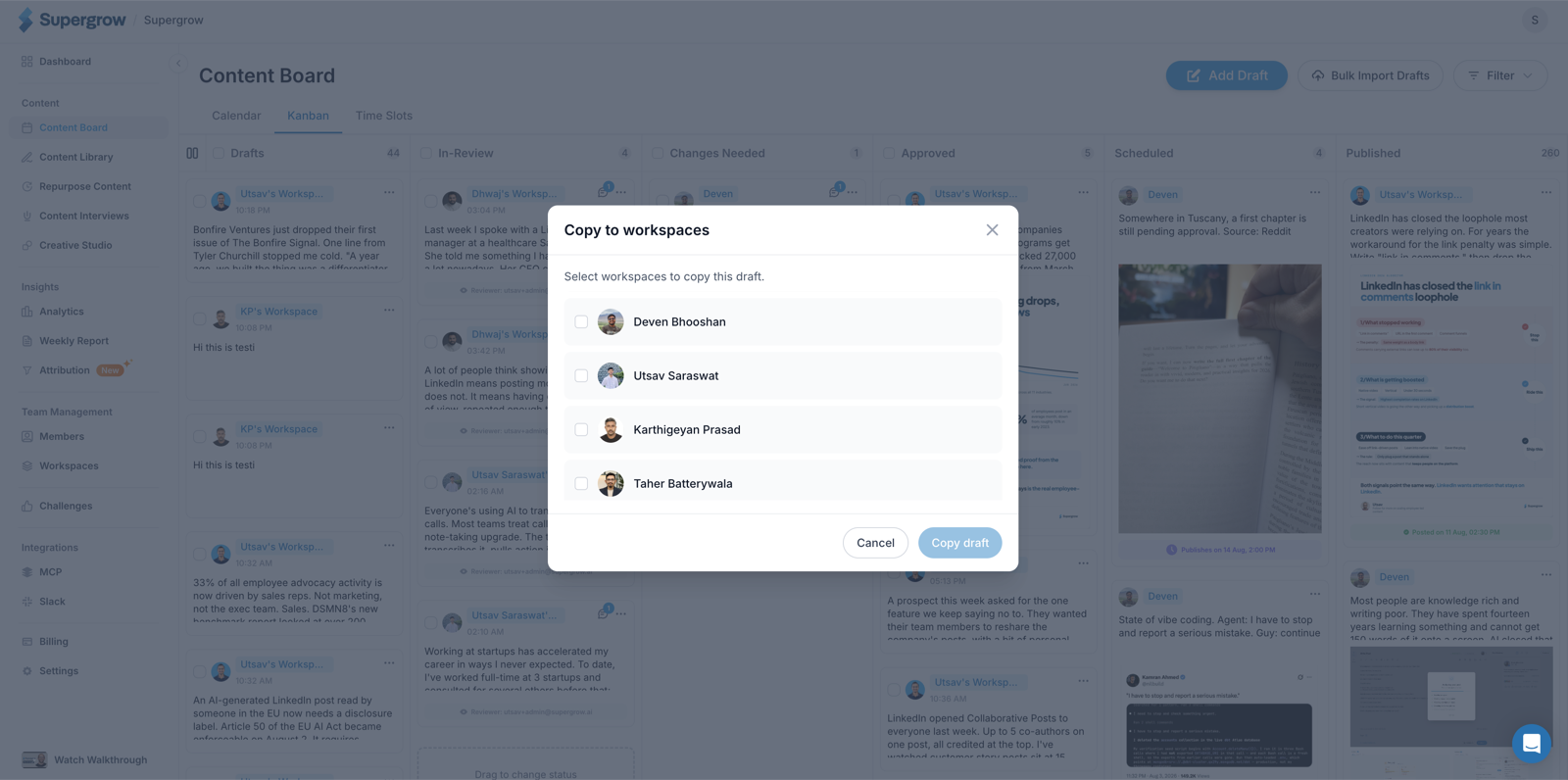
Copy a draft into several member workspaces in one go, or drag it around in the group-by-member Kanban view.
Copy to workspaces
Turn a URL, PDF, or video into posts for the whole team
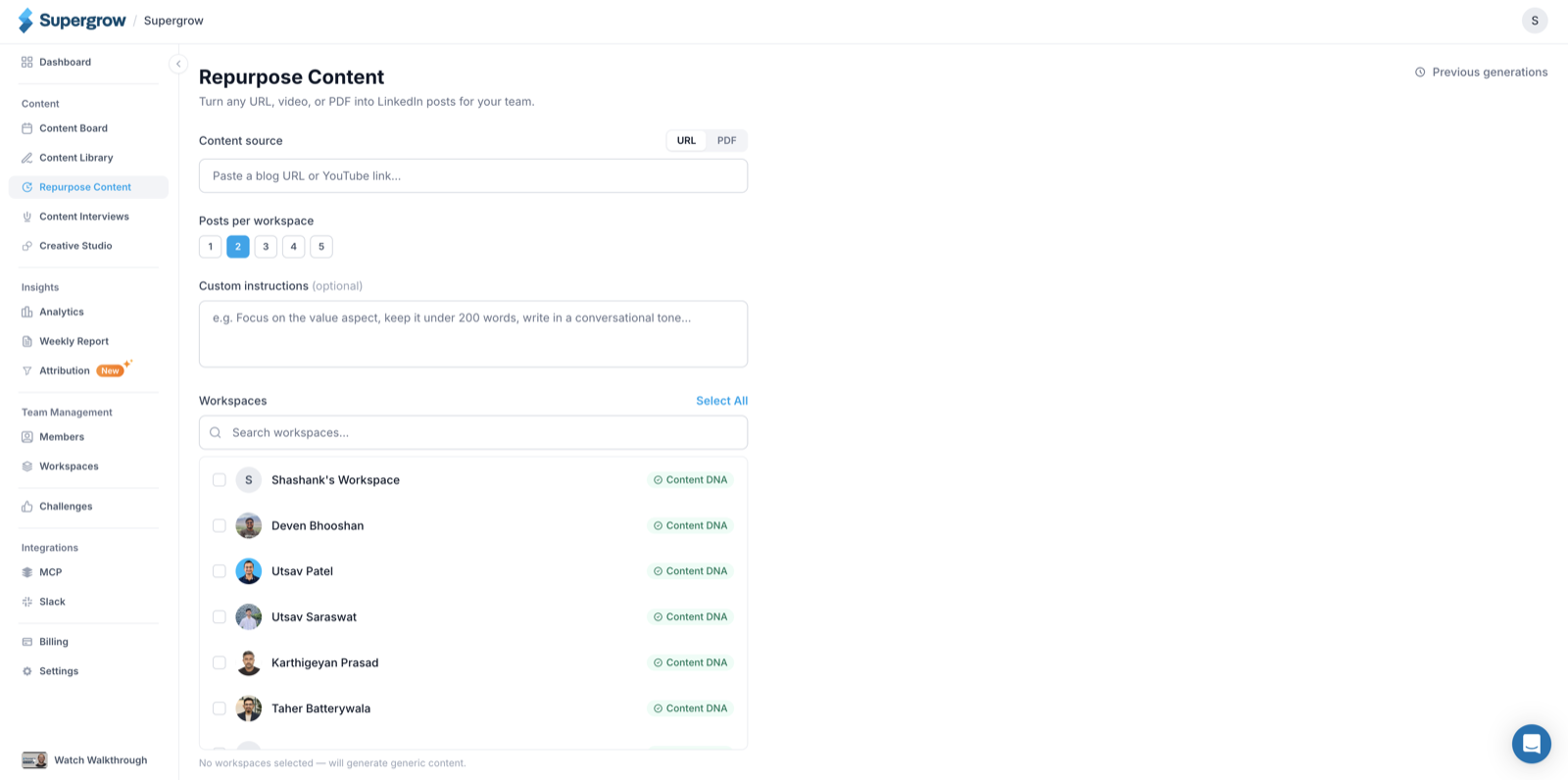
Paste a blog URL or a YouTube link, or drop in a PDF. Pick how many posts you want per person, add instructions if you have any, and tick the teammates to generate for.
Each one gets posts written against their own Content DNA, rather than a single draft copied round the team. Select nobody and the screen tells you it will generate generic content.
Repurpose content
Exports show the whole team
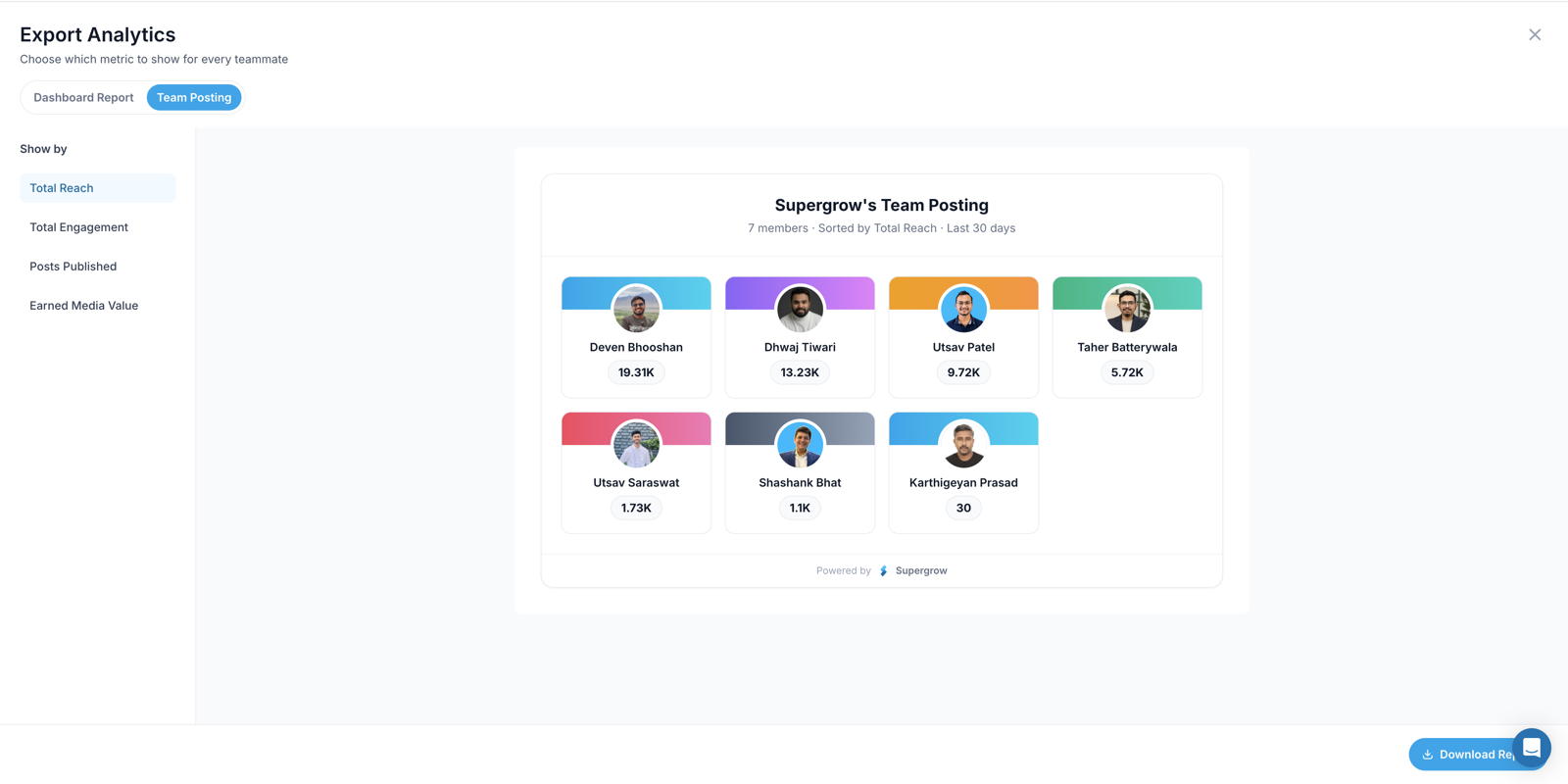
Team Posting export is a full roster now, not a leaderboard. Everyone appears, including the person sitting on 30 reach, and those are the ones you were looking for. Pick which metric to show them by, total reach, engagement, posts published or EMV, and it comes out as a branded image you can drop straight into a deck.
Personalize & Distribute also has a search box for finding a member now.
Team posting export
If your program has gone quiet, the five stages where advocacy leaks people covers how to find where.
3. For ghostwriters and agency owners
Share links survive scheduling
The public share link used to disappear once a post was scheduled, which is exactly when a client wants to see it. It stays now. A draft can also no longer skip the review step on its way out.
4. For individual creators
Your week ahead
The Upcoming Schedule section admins got in July is on your own dashboard now. This week and next, side by side, with a slot count on each. "3/3 slots" and "0/3 slots" tell you where you stand without opening the calendar, and a pill at the top flags when next week is still empty.
Filled slots show the time they go out. Empty ones are a plus button, so you can fill them without leaving the dashboard, and edit your posting slots from the same place.
Upcoming schedule

Under the hood
We ran a full security review across the product and shipped the fixes it turned up.
What changed on LinkedIn
The old feed used a separate model for each signal. That is why pods worked, why posting at 8:04 on a Tuesday worked, and why fifteen hashtags worked. Each one was a number you could move without changing a word you wrote.
In March, LinkedIn replaced all of that with a system built on language models. It reads the post. Engagement still counts, but you can no longer feed it a signal it likes while the writing stays generic.
The slop button arrived on July 30. Hari Srinivasan, LinkedIn's chief product officer, has said that catching this is a priority and that the reports train their models. Generic AI posts, bot comments, and tools that post at volume are all named.
Every one of those tricks worked without changing a word of the writing, and they are gone. That is why we rebuilt Post Score around the writing itself.
What we are working on next
The rest of the year has three parts.
Better content. Agentic content creation, so writing a post is a conversation instead of a form. A content radar that tells you what is worth writing about while the topic is still early. Analytics that show which posts brought you leads, not just impressions. And a new carousel generator to replace the old one.
Better collaboration. Integrations with the tools you already run your business on, so a post can start from something that happened somewhere else. Restricted client access, so a client sees their own posts and nothing more. And a simpler way to invite your team.
Less to learn. A simpler interface, and a shorter path from signing up to your first post.