
LinkedIn profile optimization is no joke. It’s not only your resume, it’s-
-
Personal brand
-
Credibility signal
-
Lead magnet
And more… all rolled into one.
For example, fully optimized LinkedIn profiles get 40x more opportunities.
Yet many underuse it. That’s because most treat their account as a one-time setup instead of a growth channel that evolves with their goals.
This guide breaks down how to optimize LinkedIn profiles step-by-step so you attract the right audience and turn views into real opportunities.
Why Is LinkedIn Profile Optimization Important?
Ever looked at someone’s LinkedIn profile and thought, “wow, this person has their life together?”
That’s not luck. It’s optimization done right.
Your profile is often the first place people decide whether to trust you, hire you, or reach out at all. Every keyword, headline, and summary decides whether you show up in searches or stay invisible.
In fact, complete profiles can get 21x more views and 36x more messages. But the real outcome isn’t just numbers. It’s the momentum you build from there.
A polished profile brings in DMs, collaboration offers, client leads, and job opportunities (all while you’re busy doing your actual work). Because on LinkedIn, you’re not competing for attention; you’re competing for choice. And a well-optimized profile makes that choice easy.
Here’s some results you can enjoy-
-
For job seekers, inbound opportunities increase through consistent discovery, messages, and lead flow.
-
For creators, personal branding builds trust faster and strengthens how others perceive your expertise.
-
For recruitment, credibility improves as your profile signals reliability across industries.
How to Optimize a LinkedIn Profile Based on Your Role
LinkedIn profile optimization looks different for everyone because your intent and audience shape how you show up. Whether you’re building a personal brand, selling, hiring, or influencing, your profile should reflect that purpose clearly.
Plus, you get stellar global reach. So it’s all the more important to be visible.
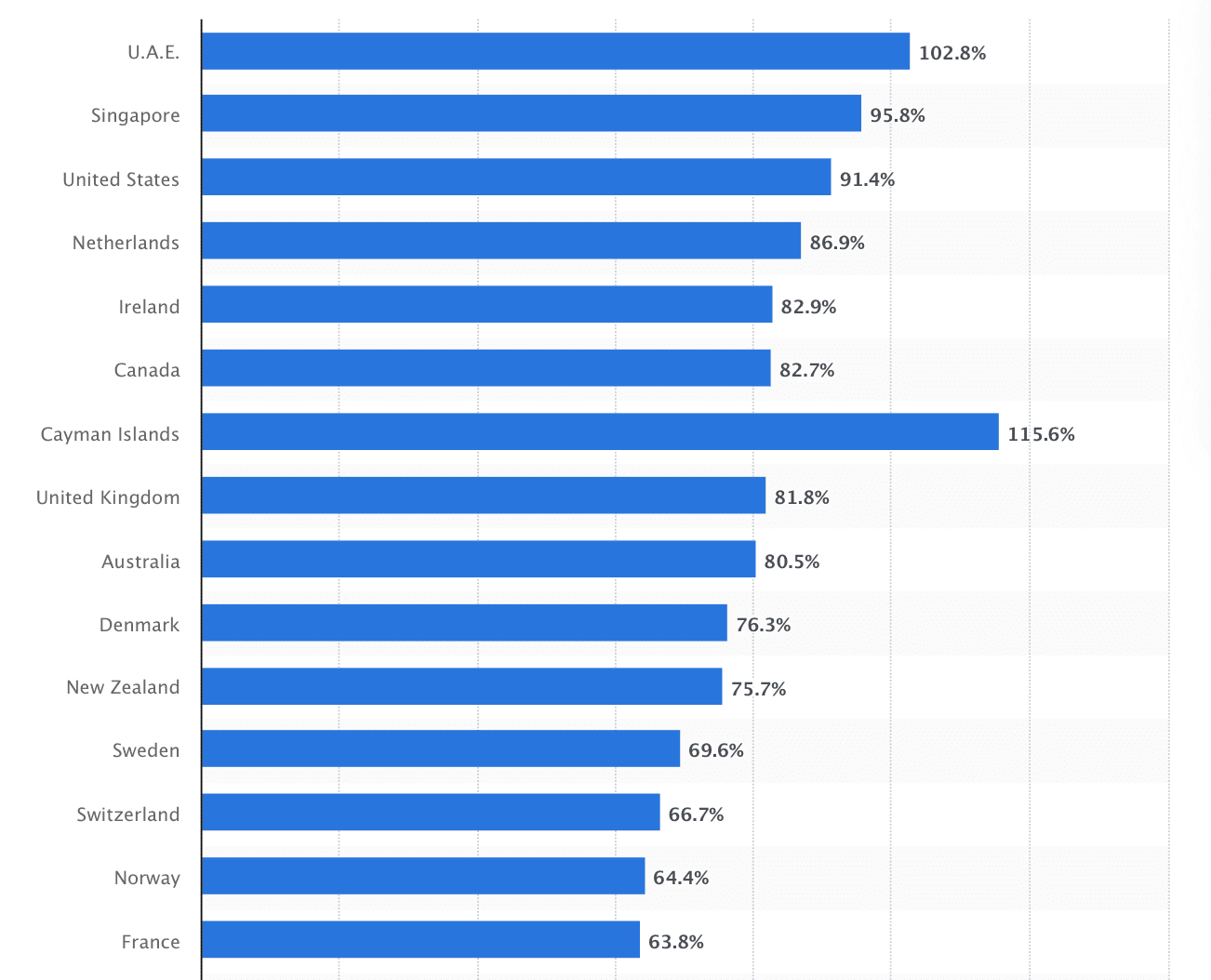
Here’s how to optimize your LinkedIn profile based on your role-
-
Founders & thought leaders: Highlight your vision, wins, and what your company stands for
-
Marketers: Showcase growth metrics, creative campaigns, and data-backed results
-
Sales professionals: Turn your profile into a meeting funnel with social proof and clear CTAs
-
Recruiters: Build trust with transparent hiring stories and employee success posts
-
Consultants and coaches: Lead with credibility like certifications, testimonials, and transformation outcomes
-
Jobseekers: Use results-driven bullet points and a headline that defines your niche value
-
Freelancers & creators: Make your portfolio easy to find and show social proof
-
Students: Tell a clear learning story that bridges experience gaps
Step-by-Step Framework for LinkedIn Profile Optimization
Profile optimization isn’t about cramming keywords or polishing your headline once. It’s a structured process where every section of your profile supports how you want to be seen. So, follow these simple steps to improve your LinkedIn profile.
Step 1: Start With a Clear Positioning Statement
Before you tweak visuals or rewrite sections, define who you are and what outcome you drive. A strong positioning statement anchors every other decision and helps you attract the right audience.
For example,
-
Founder: I help early-stage SaaS companies scale sustainably through content-led growth
-
Recruiter: Matching creative professionals with companies that value storytelling and strategy
-
Marketer: Turning engagement data into campaigns that drive revenue, not just reach
-
Consultant: Helping B2B brands refine their GTM approach with actionable insights
-
Freelancer: Partnering with teams that need consistent, SEO-driven content without the agency overhead
This clarity makes sure your profile instantly speaks to the people who matter.
Step 2: Optimize Your Profile Photo and Banner
Your photo and banner are the first things people notice, setting the tone before they even read your headline. Both should communicate credibility and personality in seconds.
Your profile photo should be clear, well-lit, and cropped at the shoulders. Keep the background neutral and your expression relaxed but confident. It’s about being approachable, not posed.
Use your banner to reflect your niche, tagline, or creative identity.
For example, Alex Vacca’s banner says, “We build the GTM systems of tomorrow.”
It mirrors his headline, highlights his niche (AI and revenue growth), and positions him as a thought leader in AI-driven revenue growth.
The professional photo adds approachability, while the cohesive design reinforces brand credibility within seconds of viewing his profile.
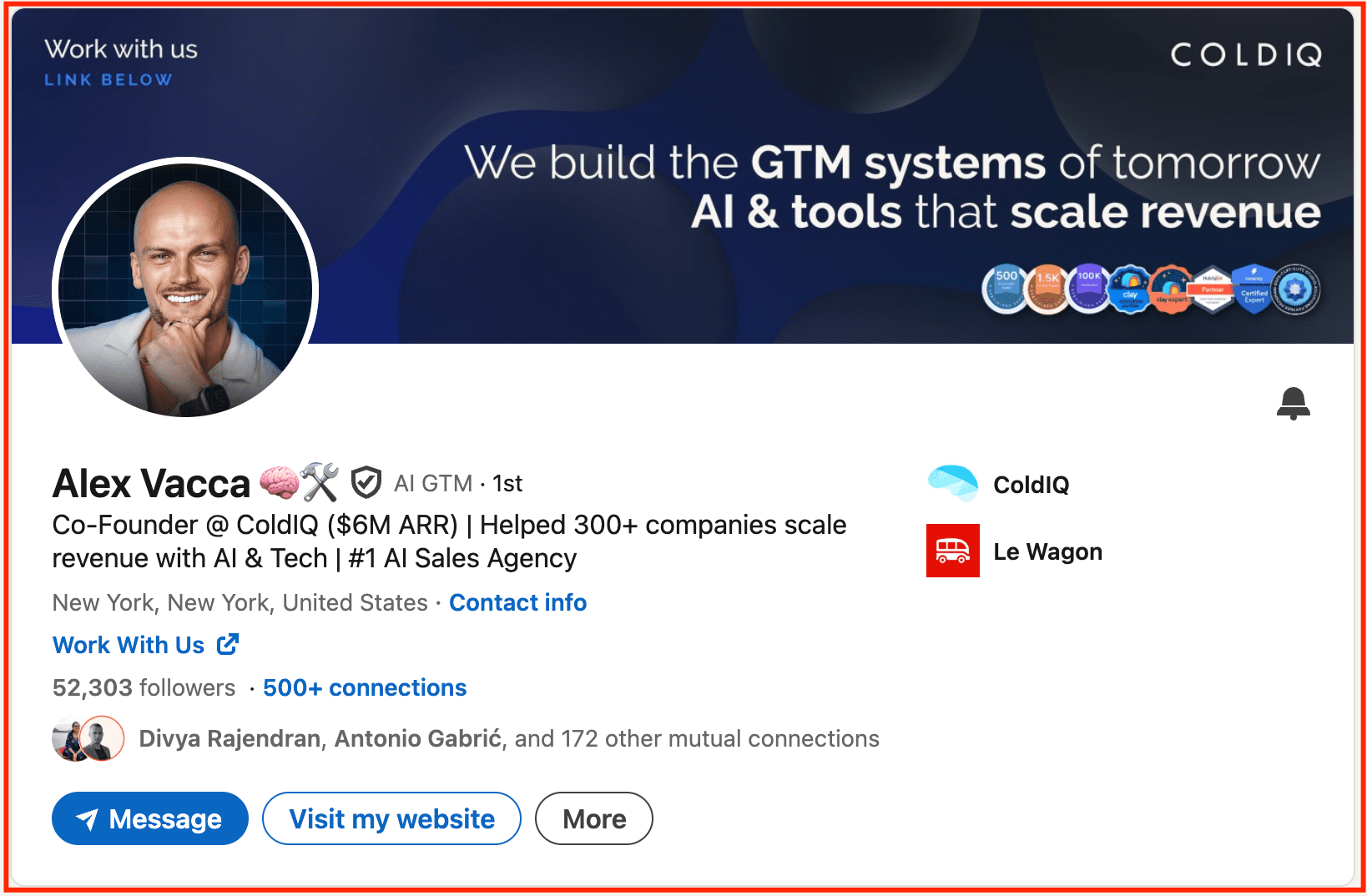
When your visuals and messaging align this way, you create instant recognition and credibility. Plus, profiles that strike this balance often see higher clicks, longer dwell time, and stronger first impressions.
Step 3: Craft a Headline That Ranks and Converts
Your headline isn’t where you describe what you do. It is where you prove why it matters.
The biggest mistake most people make is treating it like a job title instead of a positioning statement. A vague headline like “Marketing Manager” tells nothing about your value, audience, or outcome.
Think back to your positioning from Step 1. Mention who you help, how you help them, and what result you create. That clarity should guide your headline so you don’t get lost in the crowd.
Use this simple structure: Who you help + How you help + Outcome
Avoid something like this
Instead, try this-
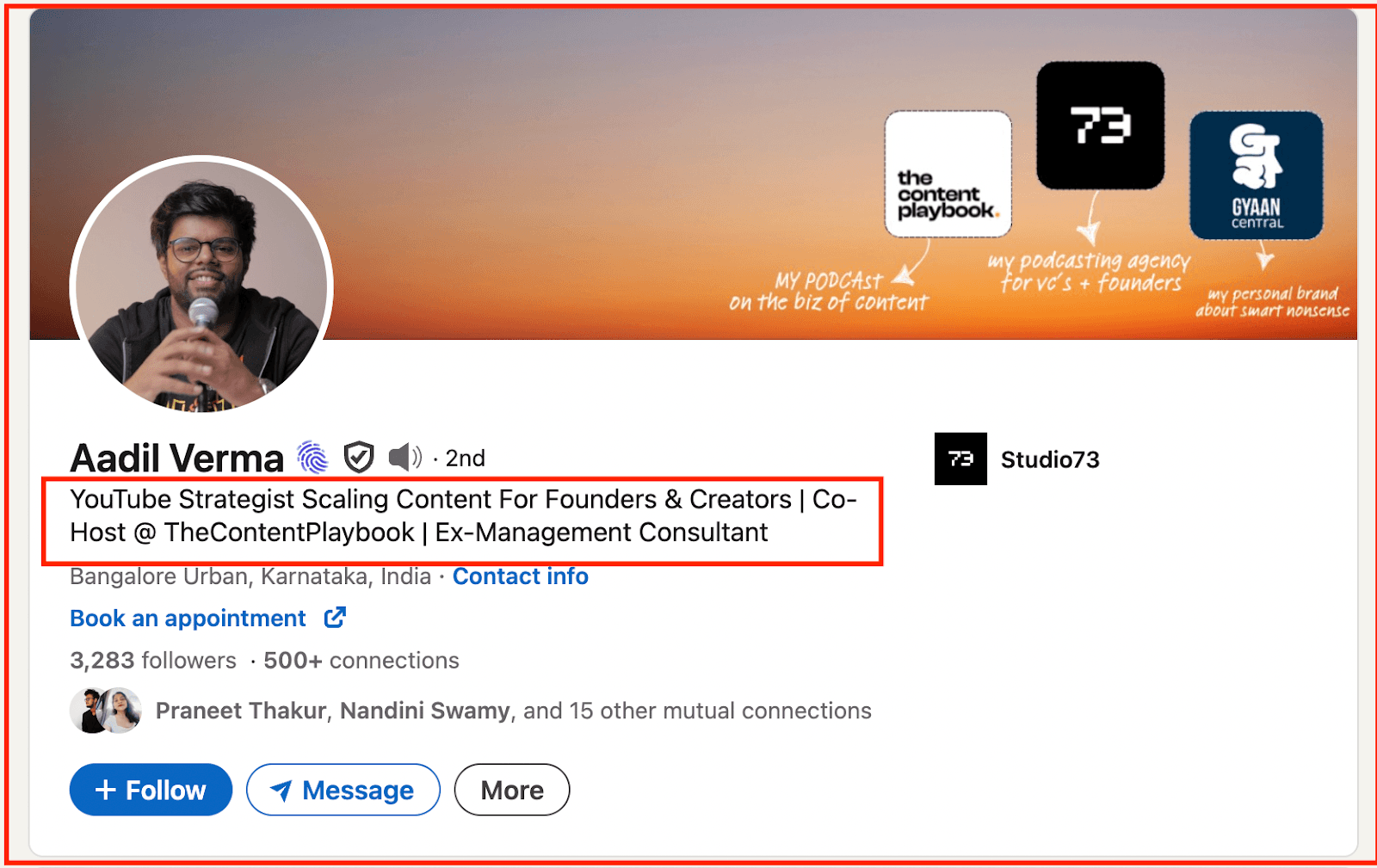
It’s keyword-rich, specific, and immediately signals their niche.
-
Remember to add relevant keywords naturally. Think about what your ideal audience would type to find someone like you.
-
Test headline variations every few weeks to see which brings in more profile views.
Landing on the perfect one can take forever. That’s why the Supergrow’s free LinkedIn headline generator tool lets you instantly create while also matching your writing style and tone.
Step 4: Write an “About” Section That Tells a Story
Consider the LinkedIn summary as your personal landing page. It’s where people decide if they relate to you, trust you, and want to take the next step. The best ones sound like a conversation, not a pitch.
-
Start with a hook that taps into your audience’s problem.
-
Follow with a short story that shows how you’ve solved it. It could be your journey, lessons, or unique approach.
Back it up with proof, such as results, client outcomes, or growth metrics. Then close with a simple CTA like “Let’s connect” or “DM me to collaborate.”
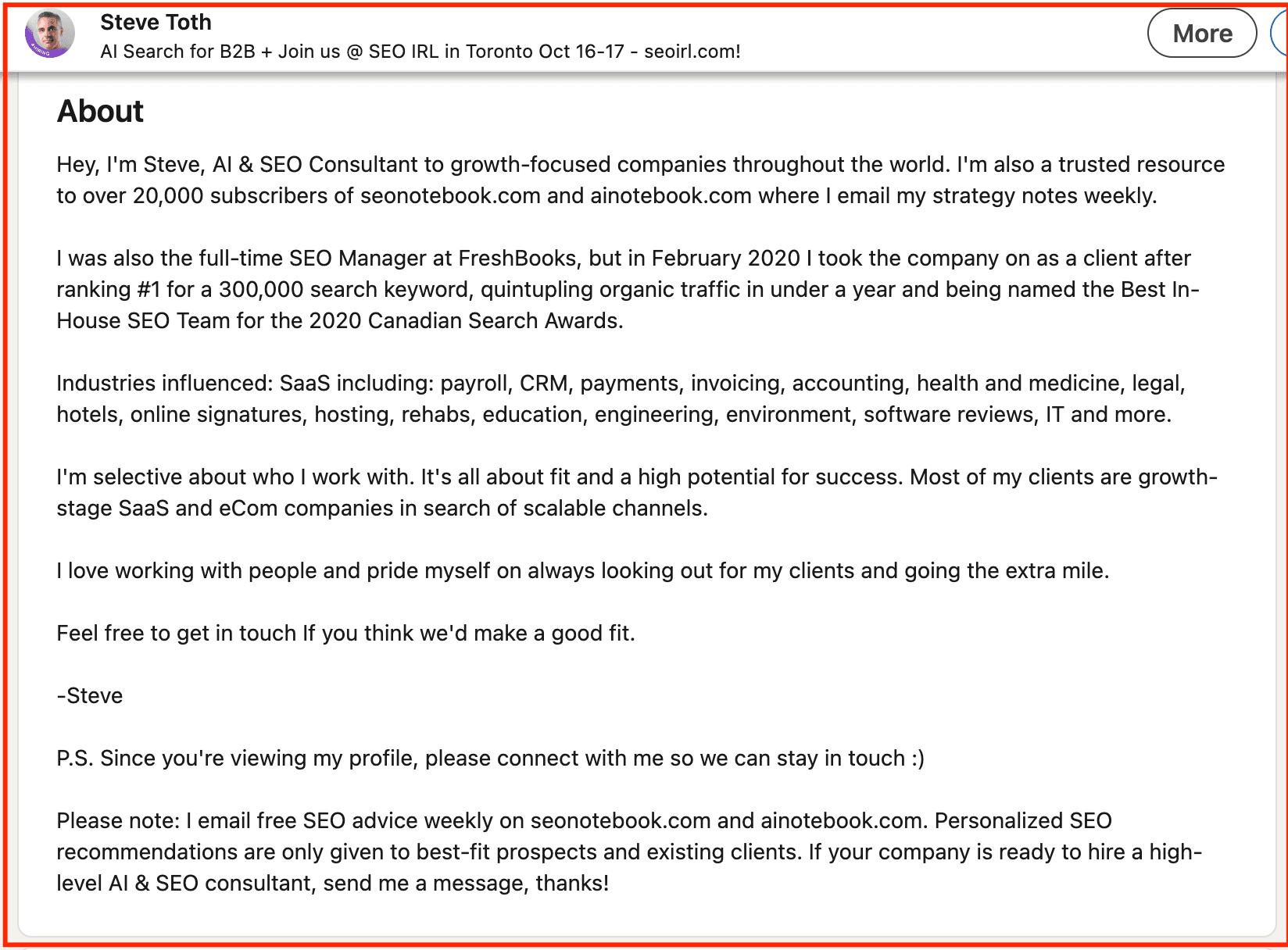
For instance, Steve Toth, founder of SEO Notebook, uses his About section to combine credibility with personality, exactly what an optimized profile needs.
He opens with a clear statement of who he helps and how, follows with a short career story that builds authority, and reinforces it with proven results and recognition. The tone stays conversational, and he closes with a friendly CTA inviting connection, making it both approachable and conversion-ready.
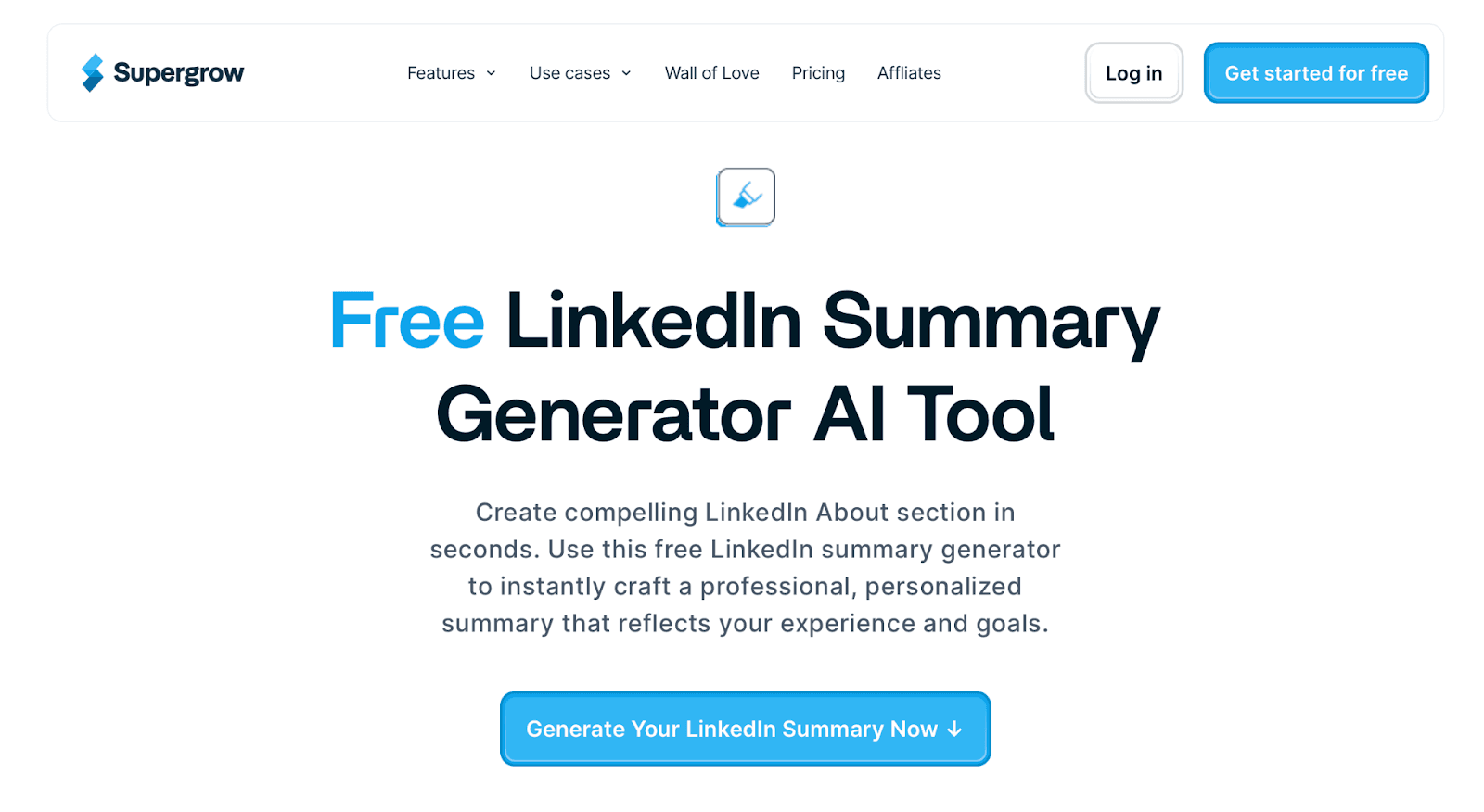
If you prefer a short summary but don’t know what to include, Supergrow’s free AI summary generator is the only tool you need. All you have to do is-
-
Enter your information
-
Generate results
-
Copy your favourite and paste it to LinkedIn
Step 5: Strengthen Experience With Results, Not Responsibilities
Most LinkedIn profiles read like job descriptions. They’re basically a list of tasks without tangible proof.
Hiring managers or potential clients aren’t looking to see what you were assigned to do; they want to know what impact you made. Listing responsibilities alone makes your profile get lost in a sea with every other person who’s held that title. It doesn’t communicate growth, ownership, or outcomes.
When you shift from describing duties to demonstrating results, you turn your experience section into proof of your value to signal credibility so that decision-makers stop scrolling.
The key to solid LinkedIn profile optimization is showing what you’ve achieved, not just what you’ve done.
Decisions are made daily. That’s why outcome-focused profiles stand out. They clearly show the value you bring. So, reframe your experience around results to turn generic roles into proof of expertise.
Use the Problem → Action → Result (PAR) formula to make each entry outcome-focused.
For example,
-
❌ Responsible for managing SEO strategy
-
✅ Developed and implemented an SEO strategy that increased marketing-qualified leads by 67% in six months.
This format instantly communicates value and credibility. You can add supporting media like snapshots, decks, or posts that showcase your work under each role to immediately drive action.
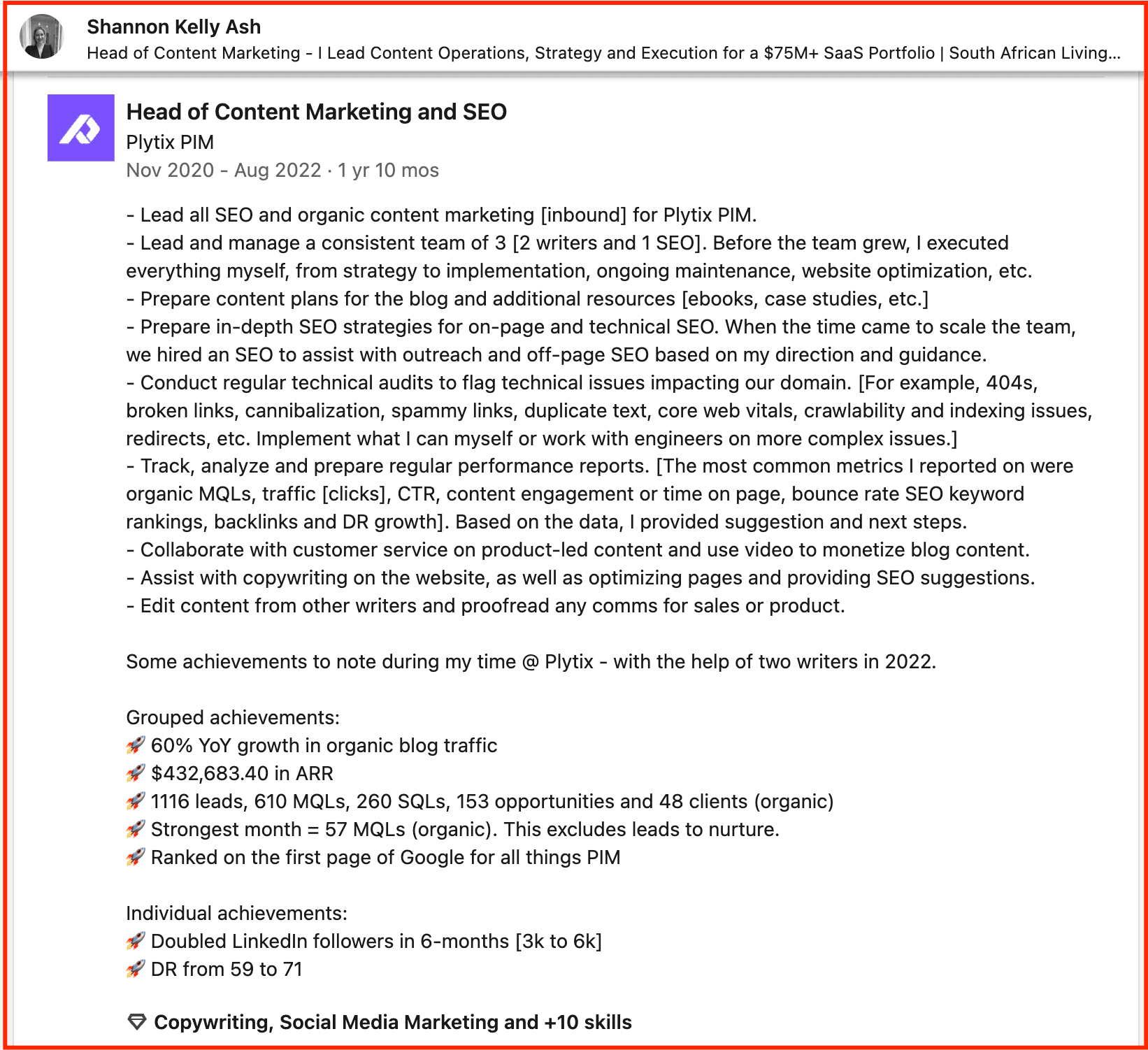
For instance, Shannon Kelly Ash’s experience section at Plytix is an excellent example of results-driven storytelling.
Instead of listing duties, she highlights measurable outcomes like 60% YoY growth in organic traffic and $432K in ARR, making her impact immediately clear.
Each bullet ties actions to tangible business results, showing both strategy and execution strength. It’s the perfect demonstration of how focusing on outcomes transforms a resume-style profile into a results portfolio.
Step 6: Curate a Featured Section That Converts Visitors
Your featured section is your highlight reel. So, instead of cramming everything, treat it like a curated gallery of your best work. Add top-performing LinkedIn posts, thought-leadership articles, client wins, or short videos that show your expertise in action.
It can completely change how visitors engage with your profile. It directs attention to what you want to be known for like your expertise, courses, etc. When curated strategically, it builds trust within seconds by showing, not telling, what you do best.
For potential employers, it’s a portfolio that validates your credibility and drives action, whether that’s clicking through to your website, signing up for a resource, or simply starting a conversation.
Quick tip- Update it every few months to keep it relevant.
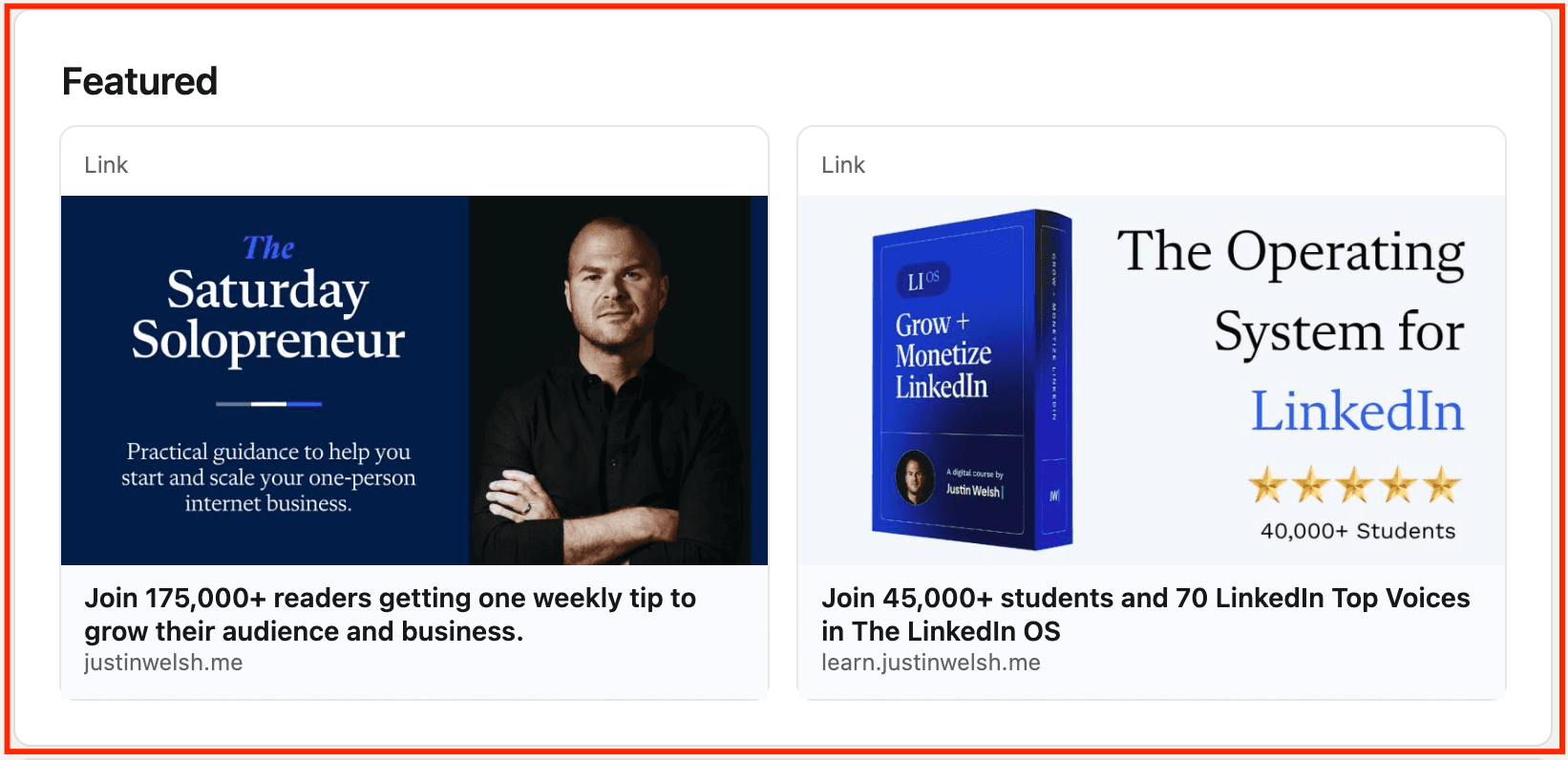
For inspiration, look at Justin Welsh’s profile. His featured section has his course links and practical templates to reinforce his authority while guiding visitors to take action.
Sadly, repurposing your best posts manually is time-consuming and often inconsistent, which means great content fades too quickly.
Supergrow helps you turn top-performing posts into branded carousels in minutes to keep your ideas visible long after they trend. It’s the simplest way to create evergreen assets that keep building authority.
Step 7: Optimize Your Skills and Recommendations for Search
Your skills and recommendations shape how LinkedIn’s algorithm and people perceive your expertise. These skills act as search keywords that define your credibility within your niche.
For a hiring manager, these details can decide whether you cut. Recruiters filter candidates by specific skills, so optimizing this section ensures your profile appears in the right searches.
Strong recommendations serve as social proof that further validate those skills. Together, they bridge the gap between your resume and your real-world performance.
So,
-
Add up to 30 relevant, role-specific skills, with your top three matching what you want to be found for.
-
Update them as your focus evolves.
-
Endorse others genuinely; most will return the favor.
When requesting recommendations, guide them with context like, “Could you highlight how I helped improve your campaign performance?” It leads to stronger, story-driven testimonials.
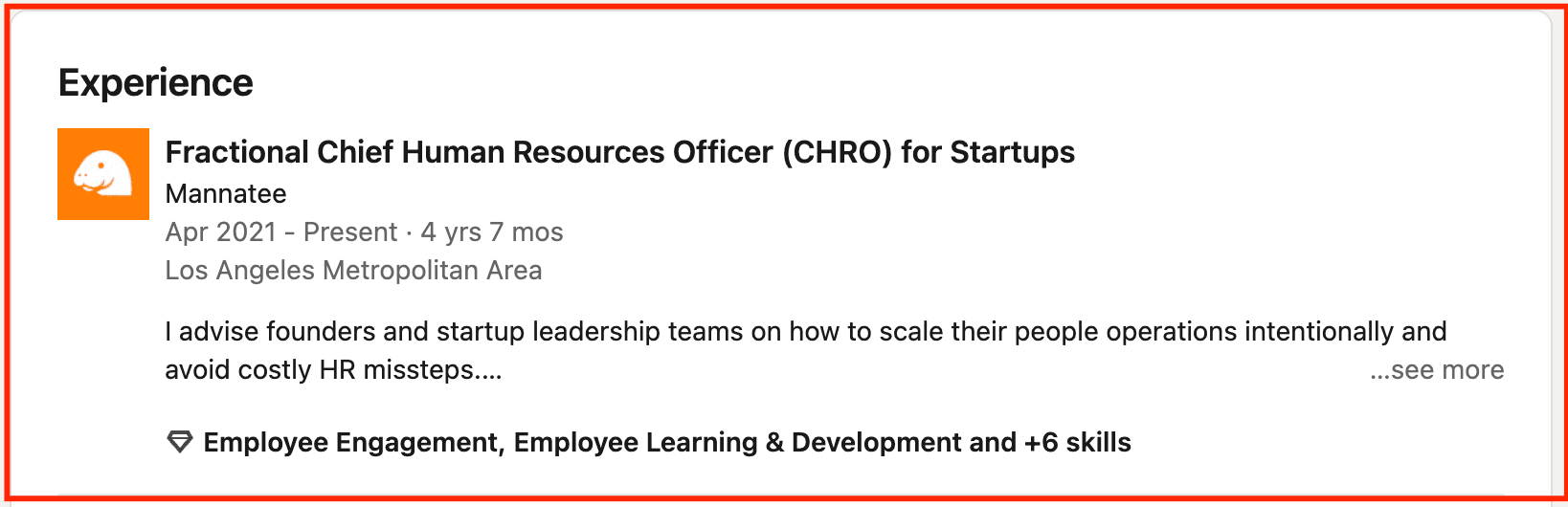
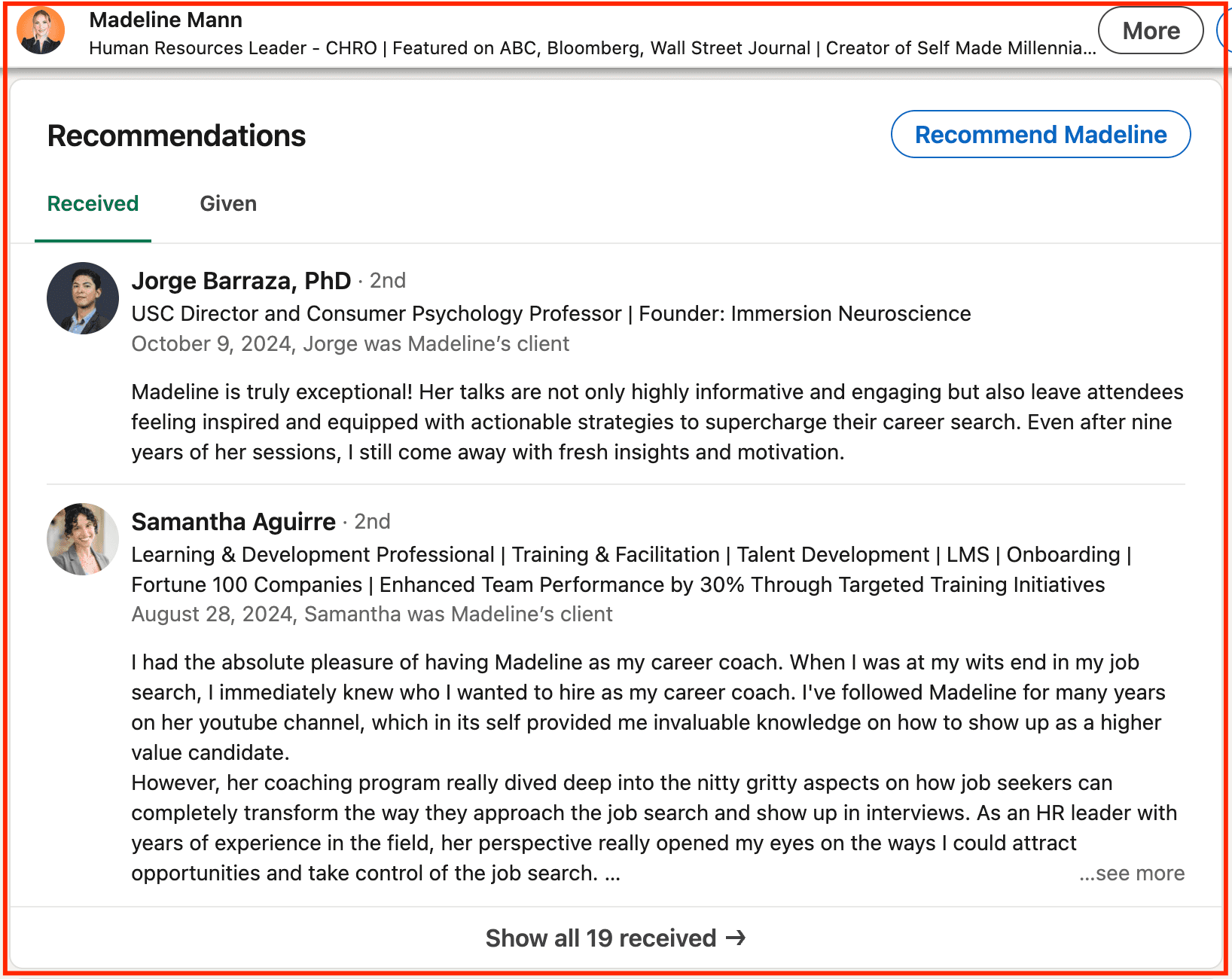
Take HR Leader Madeline Mann as an example. Her skill list is precise and aligned with her consulting niche, while her recommendations emphasize results and collaboration. Together, they make her profile both searchable and trustworthy.
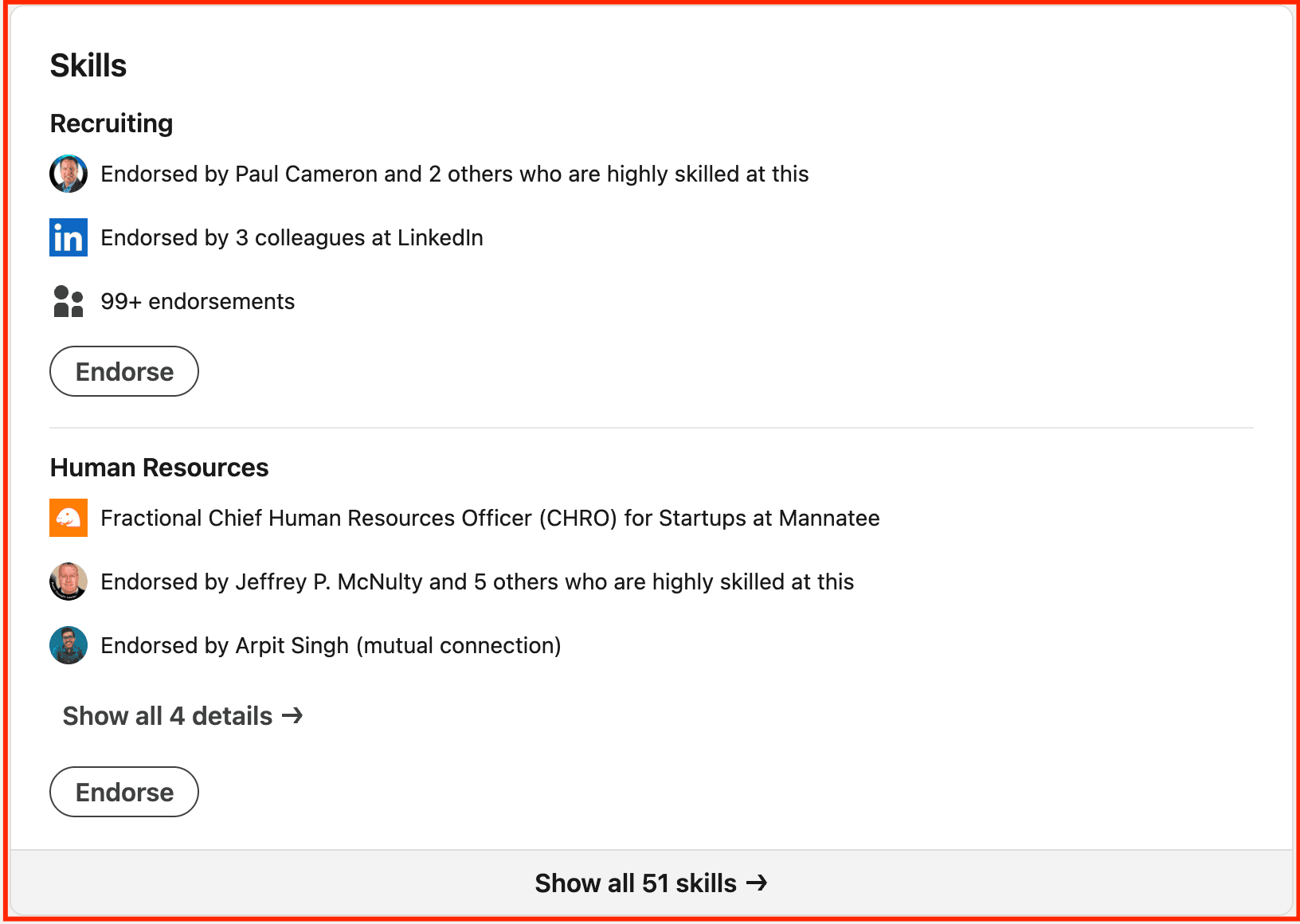
What’s more, she not only adds her skills in its dedicated section but also mentions them under the job section for added weightage.
She’s even received ample recommendations that inspire confidence in profile visitors, which is a great indication of a thoroughly optimized profile.
Step 8: Refine Your Custom URL and Contact Information
Small fixes can create huge impact.
Start by customizing your LinkedIn URL. Add a clean link like-
| linkedin.com/in/firstname-lastname |
|---|
For this, go to your profile page and edit it at the top right corner.
If you’re a brand, a relevant handle looks professional and is easier to share on websites, email signatures, and portfolios.
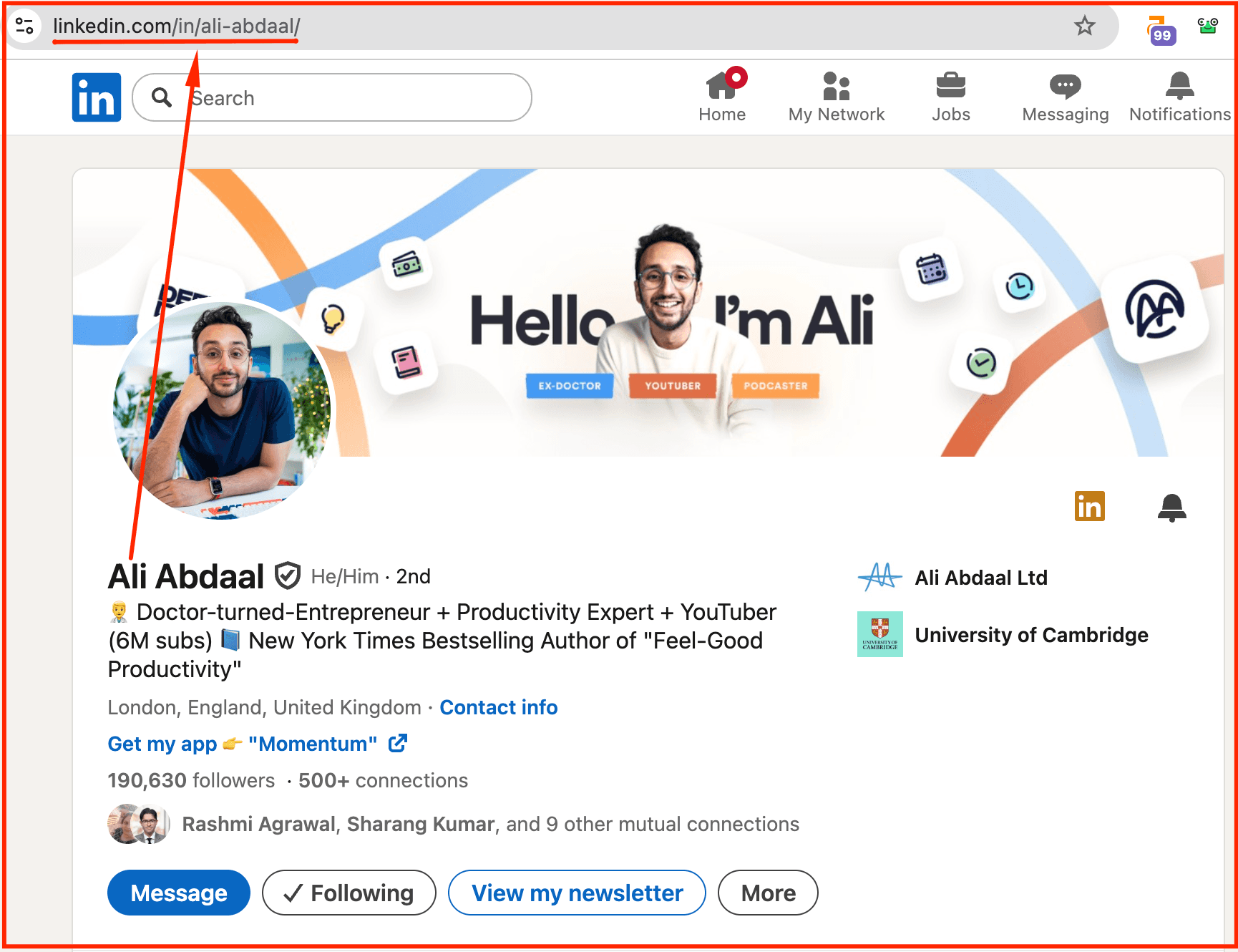
For example, Ali Abdaal’s profile uses a clean, memorable URL → linkedin.com/in/ali-abdaal — which instantly looks professional and easy to share.
Then, make sure your contact section actually works for you. Add your website, portfolio, or a calendar link so prospects or collaborators can reach you directly without extra steps. These simple updates can improve CTR from search and help your profile show up more consistently across Google and other platforms.
Step 9: Align Your Profile With Content Strategy
Your LinkedIn content strategy and profile should work as *one* narrative.
If your headline says “Growing health-tech brands via content,” your posts should reflect that through actionable insights, growth frameworks, and personal experiences.
Consistency reinforces your positioning and teaches LinkedIn’s algorithm exactly what you’re known for. This gets you a stronger reach, clearer branding, and more inbound opportunities.
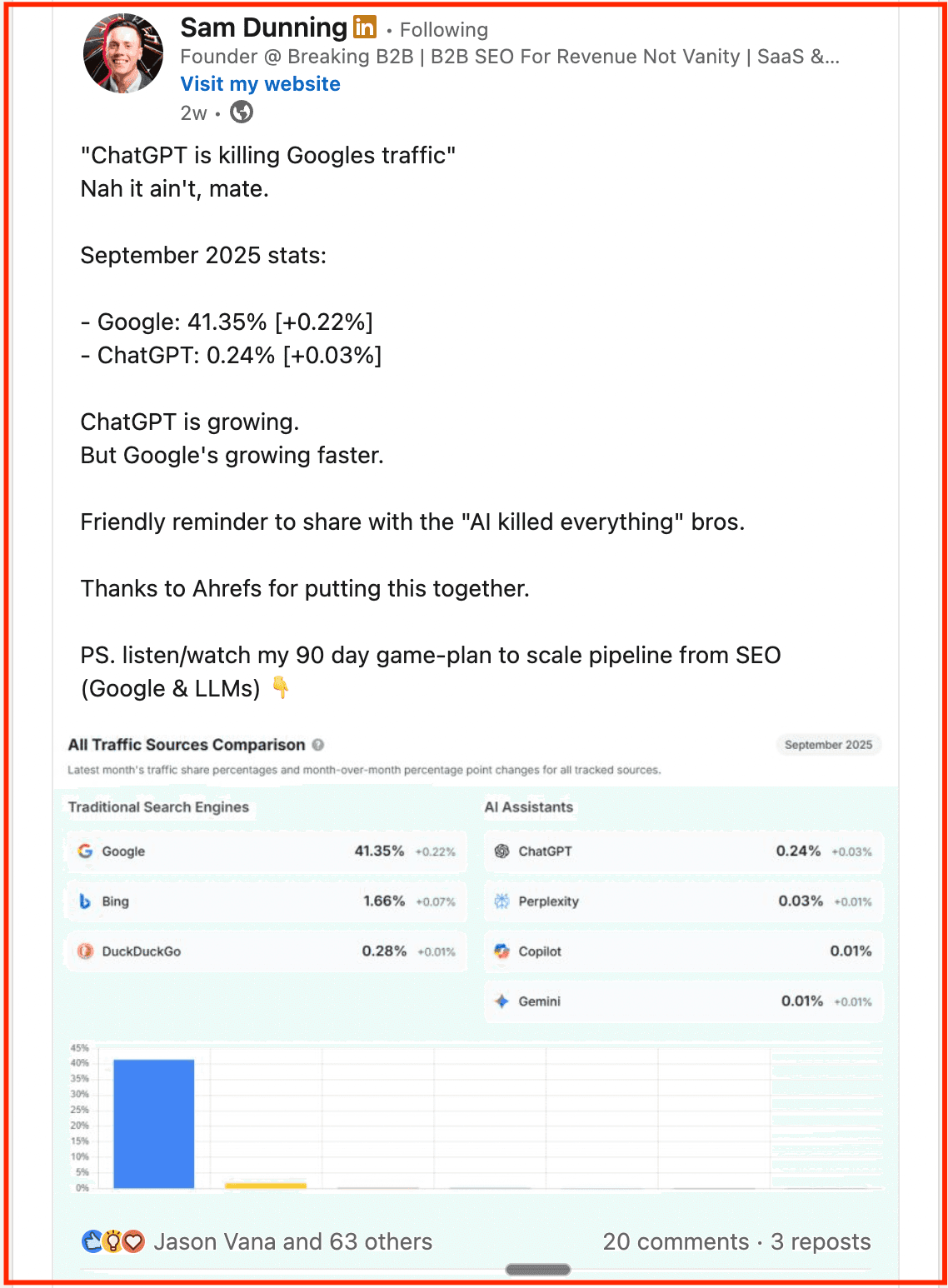
For instance, Sam Dunning breaks down SEO vs. AI traffic trends with a clear takeaway for marketers, exactly the kind of analysis his ICP (B2B founders and marketing leaders) values. By consistently sharing content that reflects his expertise and the target audience’s interests, he strengthens his authority and credibility within the SaaS SEO niche.
Now, planning your LinkedIn schedule along with your daily tasks or even job hunting can feel too much. Hitting the right cadence is difficult even for seasoned posters.
Supergrow’s post scheduler lets you get this content rhythm right easily, so your post calendar is aligned with the story your profile tells. That way, every impression strengthens your visibility and credibility.
Step 10: Activate Creator Mode for Visibility and Analytics
Turning on Creator Mode instantly expands your visibility. It
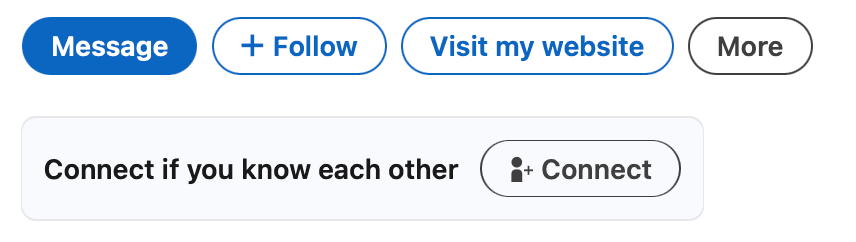
- Replaces the “Connect” button with “Follow” (but you can Connect if you know them)
-
Adds a customizable set of hashtags
-
Unlocks in-depth analytics
Choose three to five niche hashtags that clearly define your expertise. For example, #B2BMarketing, #SaaSGrowth, or #ContentStrategy. This feature improves discoverability and helps LinkedIn categorize your content and audience.
With access to post performance data and follower demographics, you can start tracking how each optimization step improves reach, engagement, and profile growth over time.
Step 11: Track, Test, and Iterate Regularly
LinkedIn profile optimization should be done every few months, as it’s an ongoing cycle of observation and improvement.
-
Review your analytics weekly to spot patterns across profile views, search appearances, and connection requests.
-
If engagement dips, tweak elements like your headline tone, About section flow, or featured content order.
Small experiments often lead to big visibility shifts.
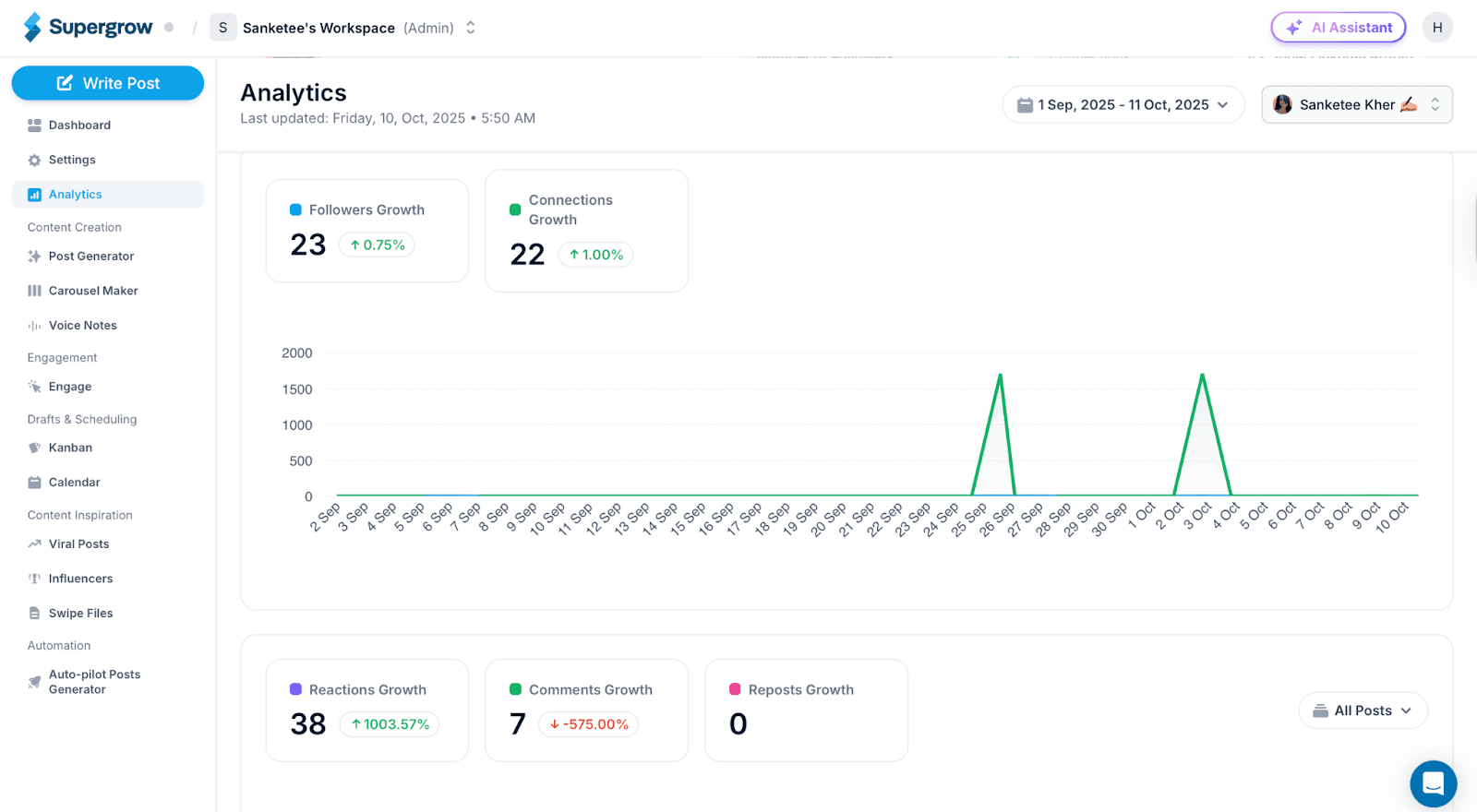
But LinkedIn’s native analytics aren’t enough if you want real impact. Supergrow’s analytics simplify the process by consolidating engagement data, identifying your top-performing posts, and revealing what resonates most with your audience. It even highlights your top commenters so you can engage more with them to maintain momentum.
How You Can Use Supergrow for LinkedIn Growth
Once you’ve optimized your profile, the real challenge begins. You must stay visible consistently.
Here’s how Supergrow helps you maintain momentum and improve your LinkedIn profile without adding extra hours to your week.
1. Consistent Posting Without Burnout
Running out of content ideas is common, even with the best LinkedIn profile tips in hand.
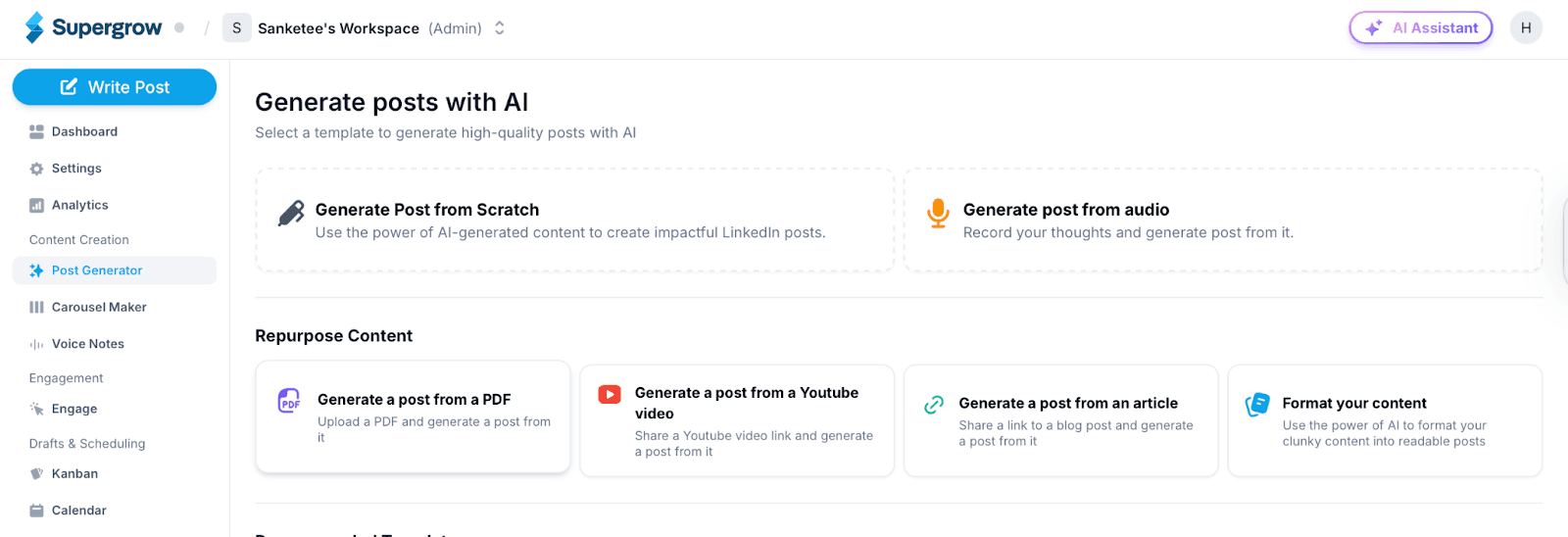
Supergrow’s post generator helps you create post ideas that match your tone, niche, and positioning. You can also repurpose long-form content like blogs, videos, or PDFs into engaging, LinkedIn-ready formats that keep your page buzzing.
2. Maintain Visual Consistency With Brand Kit & Carousels
Visuals play a big role in how people remember your brand.
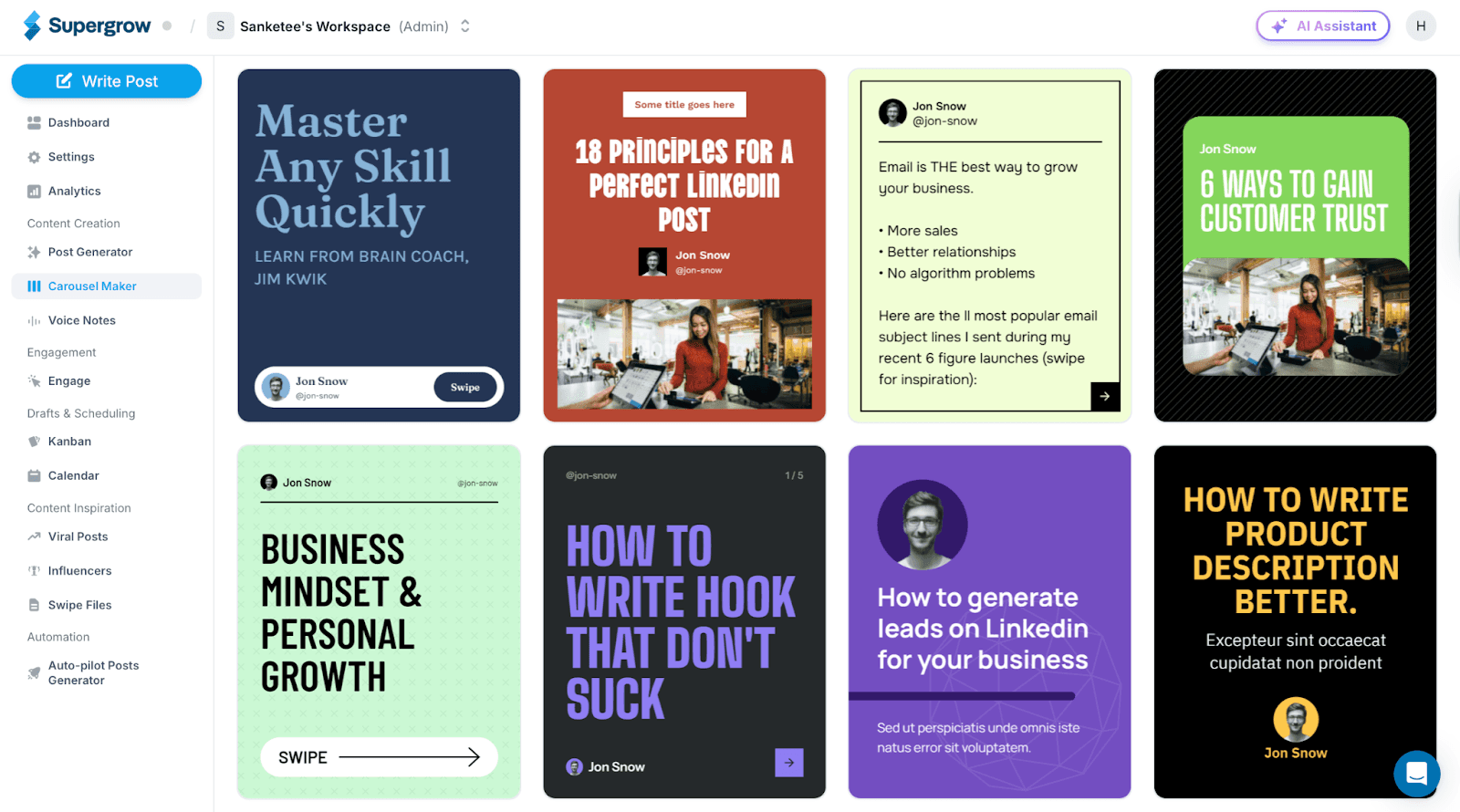
Supergrow lets you design on-brand carousels and graphics directly inside the platform. Keeping your banner, posts, and featured media consistent reinforces your professional identity across touchpoints.
3. Smarter Scheduling and Engagement
Supergrow’s scheduler lets you-
-
Plan posts ahead (bypassing the native scheduler’s 3-month limit)
-
Queue first comments
-
Automatically post during peak visibility hours
It keeps you active and visible even when you’re off the clock.
4. Track What’s Working and Double Down
Our analytics let you see which posts attract profile visits, follows, and engagement. Learn what content themes drive growth and continuously improve your LinkedIn profile with data-backed insights.
Turn Your Optimized Profile Into a Consistent Growth Engine
Optimizing your LinkedIn profile is just the start. Staying visible is where the real growth happens.
So, once you’ve refined your positioning, visuals, and storytelling, your next step is consistency. The more you show up with purpose, the faster you build trust, credibility, and inbound opportunities.
If you’re ready to improve your LinkedIn profile and keep it working for you, Supergrow makes it effortless. Create content aligned with your brand, schedule posts at the right time, and track what truly drives engagement, all in one place.
You’ve fixed your profile. Now, let Supergrow help you stay visible and grow with confidence.