
LinkedIn Thought Leader Ads let a company sponsor an eligible public post from an employee, founder, creator or other LinkedIn member, with that person's approval. The post keeps the author's name, profile photo and voice, while the company appears as the sponsor.
They work best as paid distribution for posts that have already earned organic engagement. This guide explains whose posts you can sponsor, which formats qualify, how approval works and how to combine Thought Leader Ads with employee advocacy.
What Are LinkedIn Thought Leader Ads?
Thought Leader Ads are a Sponsored Content format that promotes an eligible post from a LinkedIn member. The sponsored post keeps the member's name, photo and original content. The advertiser pays for distribution and appears as the sponsor.
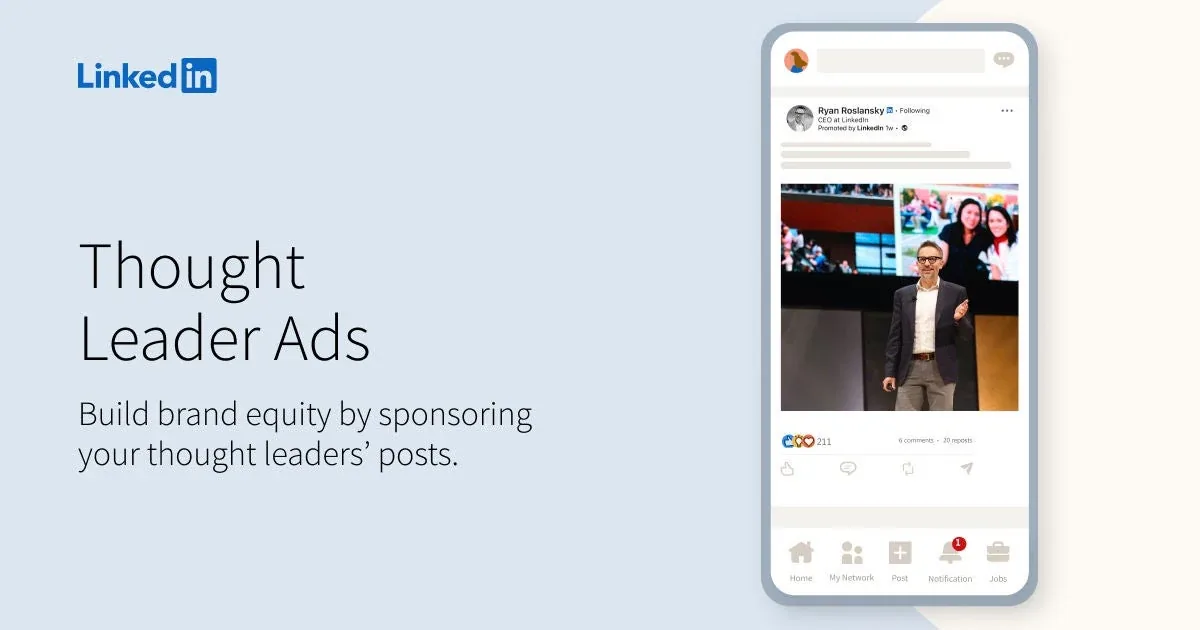
That structure differs from a standard Page ad. The member remains the visible author, so the credibility comes from a real person's expertise rather than a company Page identity. The advertiser adds targeting, budget and Campaign Manager reporting without rewriting the original post.
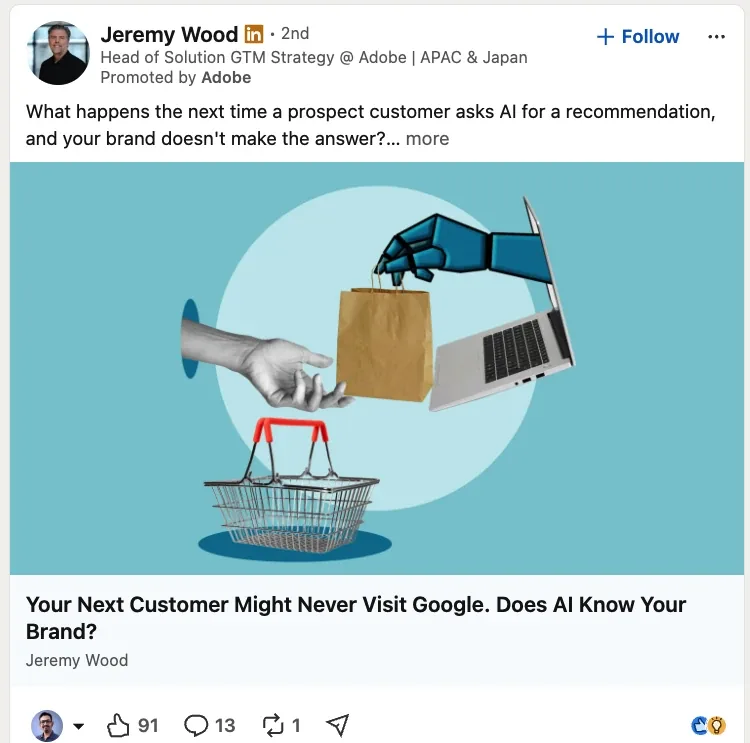
Jeremy Wood's post makes that structure easy to spot in a live feed. Jeremy remains the named author, while the “Promoted by Adobe” label identifies the company paying for distribution. The post still reads like an expert's point of view, even though Adobe has expanded its reach through paid media.
LinkedIn reports that Thought Leader Ads drive a 252% increase in CTR compared to conventional single image ads based on LinkedIn data from 2025. It also reports that Thought Leader Ads deliver 4.2x more bottom-of-funnel conversions per company, on average, as part of a full-funnel investment strategy based on LinkedIn data from 2026.
The three promotion options serve different owners and content sources:
| Option | Who runs it | Content promoted | Where it is managed |
|---|---|---|---|
| Member boosting | The individual member | The member's own post | The member's profile |
| Page boosting | A Page administrator | A post from the company Page | The Page or Campaign Manager |
| Thought Leader Ads | An advertiser with the required access | An approved post from a LinkedIn member | Campaign Manager |
Thought Leader Ads appear as native posts in the LinkedIn feed. LinkedIn's create flow also allows placement on the LinkedIn Audience Network where that placement is enabled.
Whose Posts Can You Sponsor?
You can sponsor eligible posts from employees, executives, founders, creators, customers, partners, industry experts and other LinkedIn members. The author must approve the request before the ad can run.
Discovery depends on the relationship between the advertiser and the author. Posts from employees and first- or second-degree connections can be found in Campaign Manager or Creator Marketplace. Posts from third-degree connections and beyond are discoverable through Creator Marketplace. Teams planning external creator partnerships can use the full LinkedIn Creator Marketplace workflow instead of treating every creator post like an employee campaign.
The post must be public, and the member's profile must show their full last name. LinkedIn also asks authors to disclose their relationship with the advertiser through their profile or post where relevant.
Which Posts and Objectives Are Eligible?
LinkedIn's current eligibility rules support different formats.
Eligible posts include:
- Public text posts
- Single-image posts
- Video posts
- Document posts
- Native LinkedIn articles and newsletter posts
- Eligible Collaborative Posts
- Attendee posts about a LinkedIn Live event created by the advertiser's Page
Posts that are not eligible include:
- Celebrations
- Polls
- Multi-image posts
- Reposts
- Company Page posts used as Thought Leader Ads
The available campaign objective depends on the post format:
| Post format | Available objectives |
|---|---|
| Text or single image | Brand awareness, engagement |
| Video | Brand awareness, engagement, video views |
| Document | Brand awareness, engagement |
| Native article or newsletter | Brand awareness, engagement |
| LinkedIn Live event | Brand awareness, engagement |
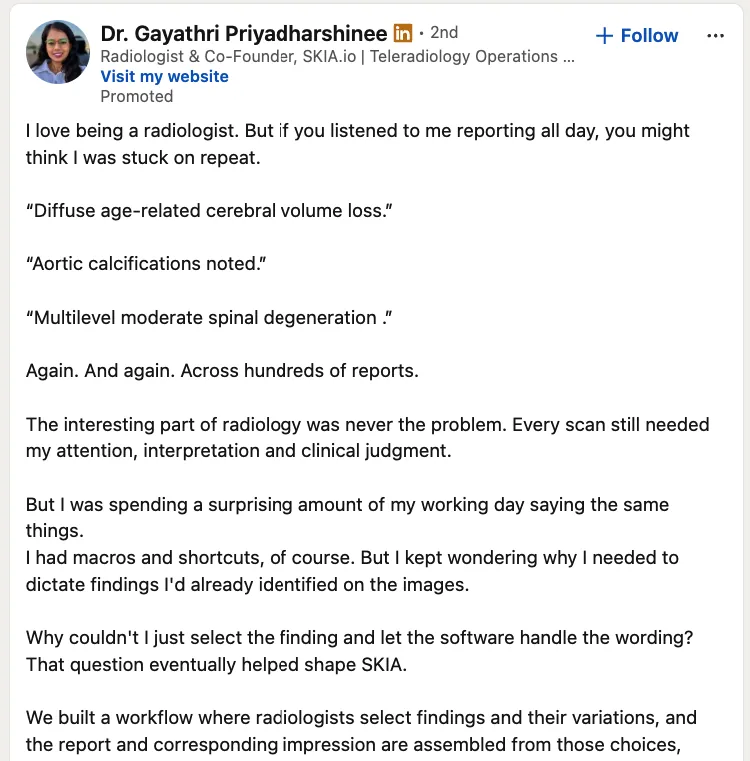
You cannot change the original post's text, image or video before sponsorship. Standard single-image and video Thought Leader Ads do not include a CTA button, so place the destination URL in the member's post copy when the campaign needs one.
Event Thought Leader Ads include a CTA button.
LinkedIn is also gradually giving some advertisers the option to add an ad headline, CTA button, destination link or lead form to the sponsored version. Check Campaign Manager before planning around these controls.
When the expanded controls are available, the headline, destination and CTA appear beneath the member's original post.
You also cannot duplicate a Thought Leader Ad. Build the campaign structure around the approved creative instead of assuming you can copy it into another ad set later.
How Thought Leader Ads Work Step by Step
The setup is shorter than building a new ad creative because the member's post already exists. The approval stage is the main difference.
- Choose an eligible objective and format: Select brand awareness or engagement, or video views when sponsoring a video post.
- Find the member's post: Search eligible posts by member name or post URL in Campaign Manager. Use Creator Marketplace for third-degree connections and beyond.
- Request the author's approval: LinkedIn sends the author an approval request. You can also copy the request link and share it directly.
- Set the audience, placement and budget: Use the same audience planning discipline you would apply to other Sponsored Content.
- Launch the approved post: The ad starts only after the member grants permission.
- Respect later changes: The member can revoke approval at any time. A running ad then stops and is canceled in the ad account.
LinkedIn's Campaign Manager setup instructions provides exact controls. Thought Leader Ads use the same auction-based pricing model as other LinkedIn ads. You choose the budget and bid strategy, and LinkedIn does not publish a fixed rate for the format.
The author can approve one request, enable automatic approval for future requests from the advertiser or decline the sponsorship. Automatic approval reduces repeated administration, but it should not replace an internal consent process.
Thought Leader Ads vs Employee Advocacy
Thought Leader Ads and employee advocacy solve different parts of the distribution problem. Employee advocacy creates a steady supply of useful posts from employees and executives. Thought Leader Ads put selected posts in front of a paid audience.
| Area | Employee advocacy | Thought Leader Ads |
|---|---|---|
| Cost model | Time, editorial support and program operations | Auction-based media spend plus campaign management |
| Reach | Organic reach through each employee's network | Paid reach to a selected LinkedIn audience |
| Control and consent | Employees choose, edit and approve what they publish | The author approves sponsorship and can revoke it |
| Authenticity | Built through consistent posts grounded in the employee's expertise | Preserved by sponsoring the original member post without rewriting it |
| Measurement | Participation, post performance, audience growth and business signals | Campaign impressions, clicks, engagement, follows and profile clicks |
| Main risk | Participation fades when the content workflow is too demanding | Budget goes behind content that lacks organic proof or a clear audience |
Thought Leader Ads are a paid distribution layer, not a substitute for LinkedIn employee advocacy. They can only sponsor posts that already exist. Employee and founder content supplies those posts and reveals which ideas, formats and authors already connect with the market.
The same logic applies to customer, partner and creator posts. The source program changes, but the paid campaign still depends on an original post, clear permission and a relevant audience.
How to Use Thought Leader Ads With Employee Advocacy
The strongest workflow connects organic publishing, paid distribution and follow-up campaigns.
- Help employees and executives publish consistently: Start with real expertise, separate voices and topics each person can discuss credibly.
- Save the organic baseline: Record impressions, engagement, comments, profile activity and audience response before paid distribution begins.
- Select proven posts: Choose recent, eligible posts that already earned thoughtful reactions, comments or shares from the right audience.
- Request sponsorship with clear consent: Use a documented LinkedIn post approval workflow so the author understands the audience, duration and campaign context.
- Run the ad to a defined audience: Target people who match the post's subject rather than paying for the broadest available reach.
- Create the next conversion step: Retarget engaged visitors or use another LinkedIn format when the campaign needs leads, website conversions or deeper product consideration.
- Share the results with the author: Show what the paid campaign changed and which organic signals remained useful.
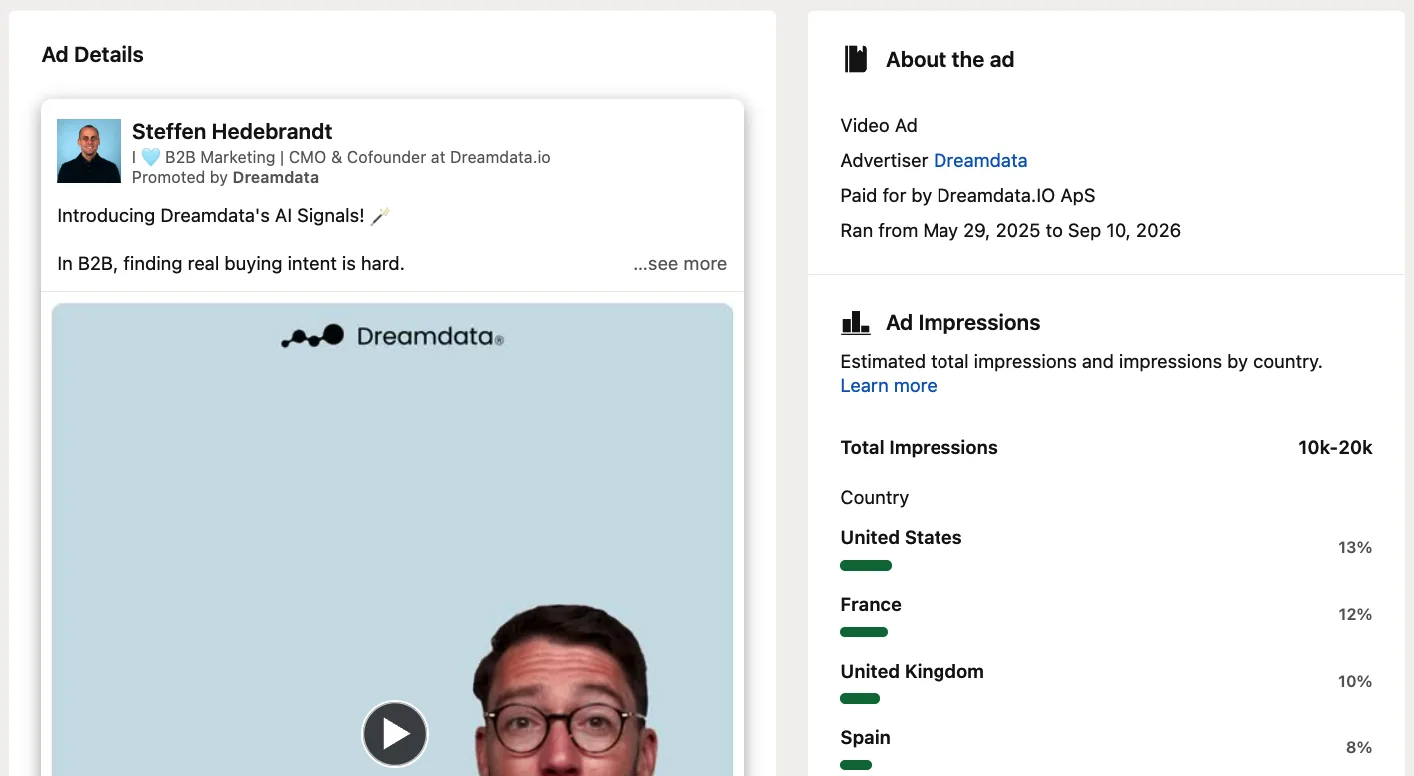
Dreamdata’s story published on Linkedin shows this sequence in practice. Dreamdata first used employee videos to generate organic engagement, then sponsored the strongest videos to Matched Audiences at named accounts. Website visitors entered retargeting audiences for later campaigns.
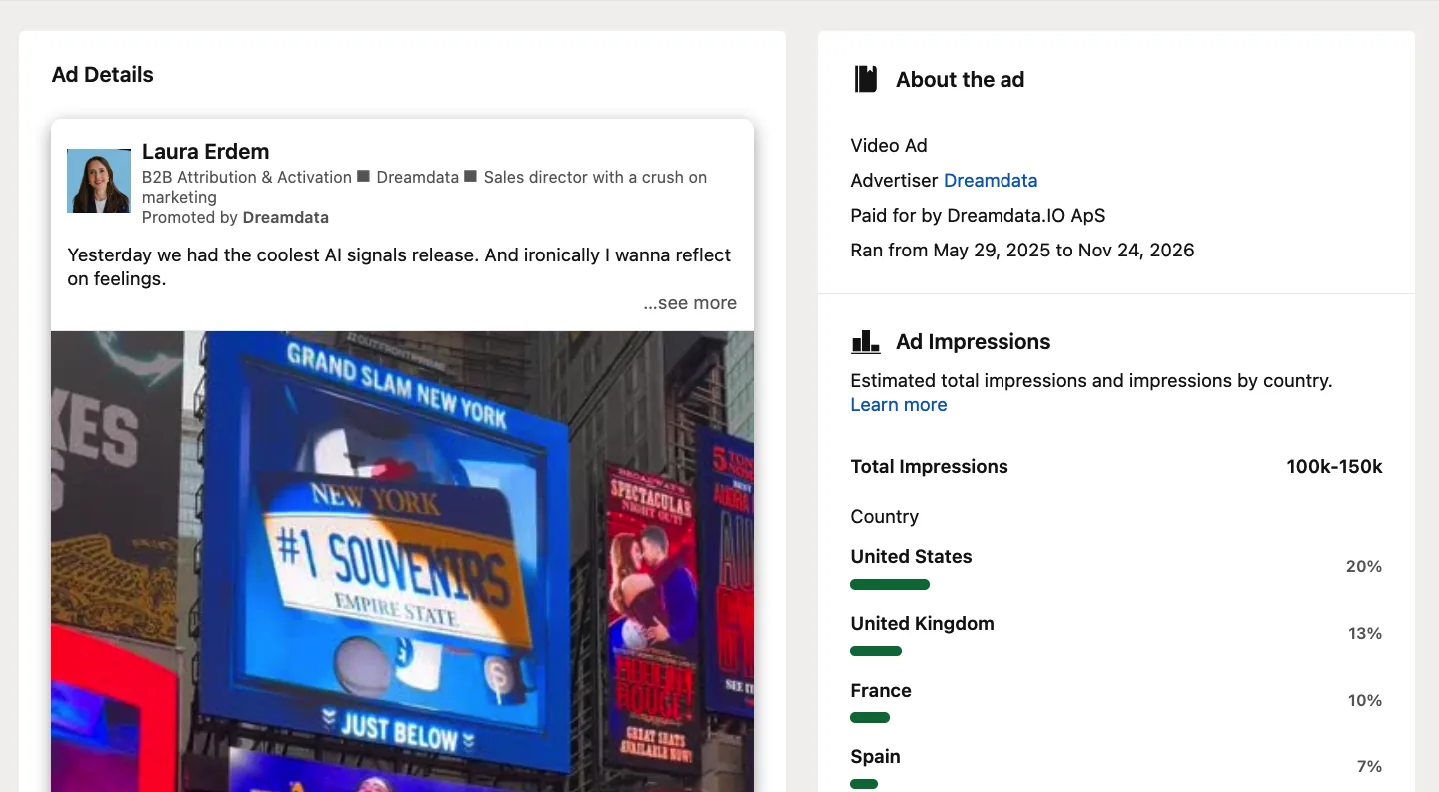
The company reported more than 300,000 employee advocacy impressions in one quarter. It also reported a three-to-four-times higher engagement rate for employee-led ads than brand-led ads and said Thought Leader Ads influenced 83% of closed-won deals as reported by their own team
The case study includes sponsored posts from Steffen Hedebrandt and Laura Erdem. Each post keeps the employee's profile and original framing, while “Promoted by Dreamdata” makes the advertiser visible.
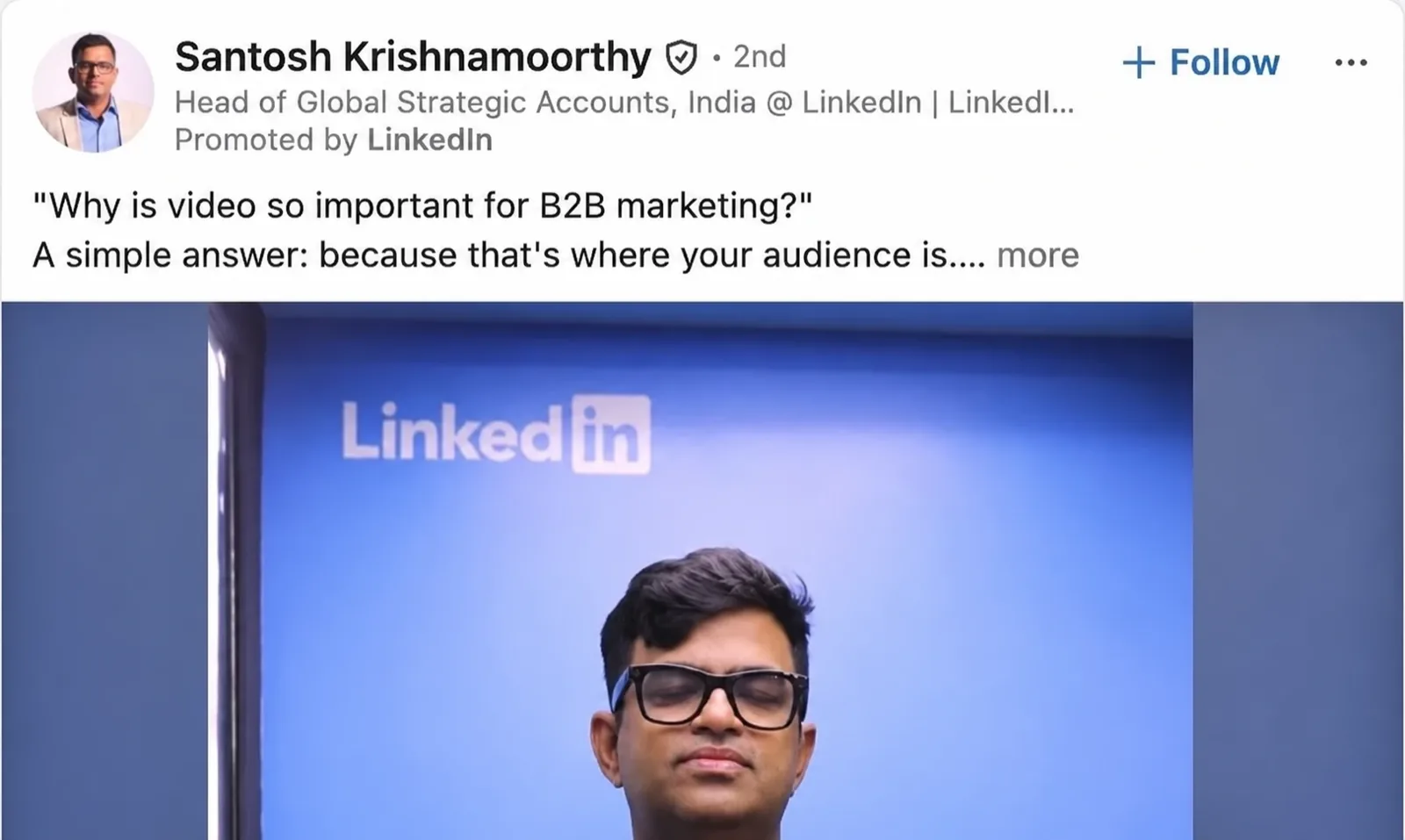
The same pattern appears in current feed examples. LinkedIn sponsored Santosh Krishnamoorthy's video-led explanation of B2B video marketing. The subject aligns with his role in LinkedIn Marketing Solutions, so the promotion extends an informed point of view rather than forcing a product pitch into his voice.
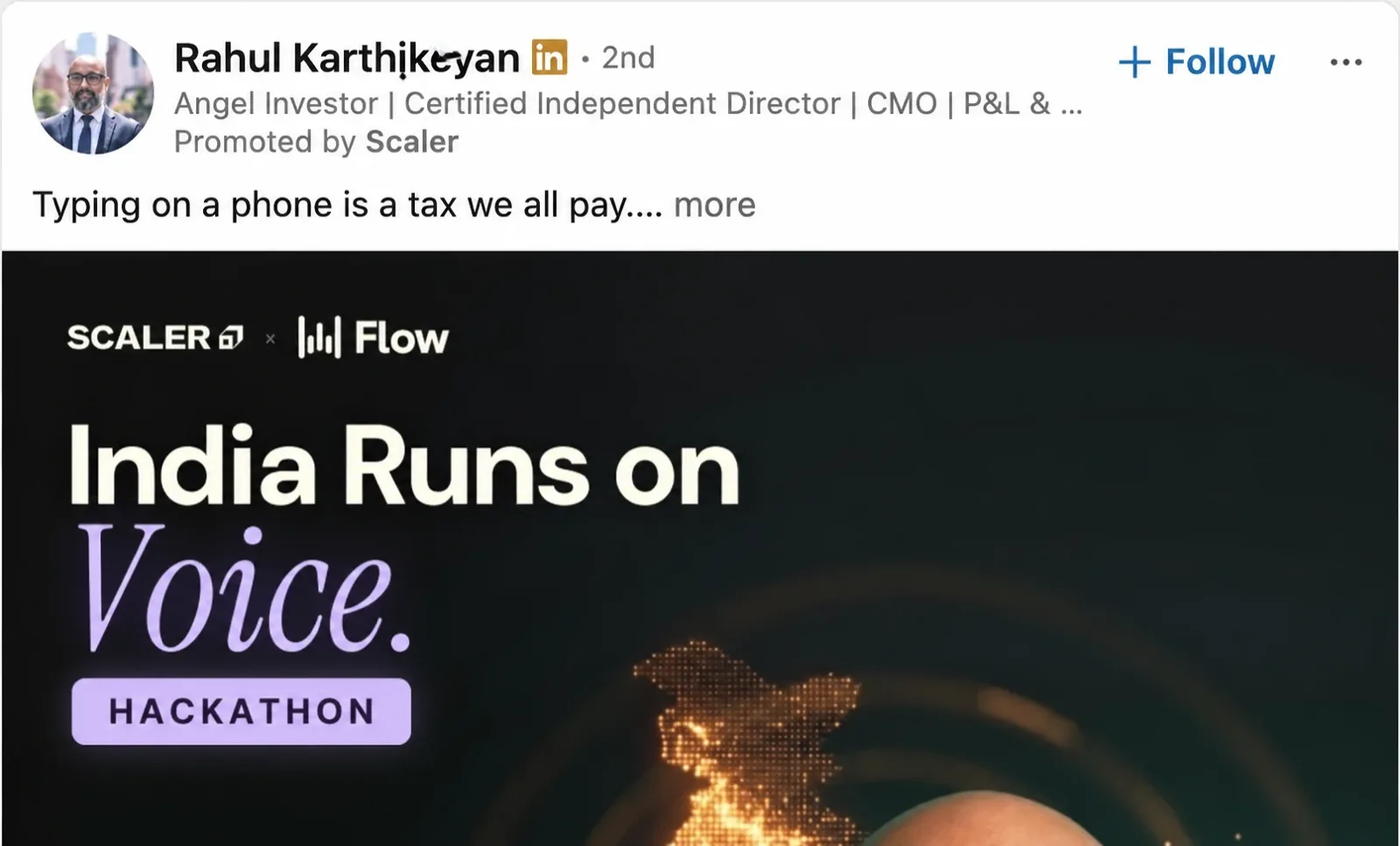
Scaler used a different angle with Rahul Karthikeyan. His post introduces a voice-first hackathon in plain language, while the video creative carries the event branding. This format works when the speaker has a credible connection to the subject and the campaign needs more context than a company-page announcement can provide.
How to Choose a Post Worth Sponsoring
Start with the post's usefulness, not the author's job title. A founder post is not automatically strong creative, and a high impression count does not prove relevance.
Choose a post that has:
- A clear point of view or specific professional insight
- Organic comments, shares or thoughtful reactions from the audience you want to reach
- A direct connection to the brand, category or campaign topic
- A format and public visibility that meet LinkedIn's eligibility rules
- An author who understands the sponsorship and wants the post associated with the campaign
LinkedIn recommends recent posts and often points advertisers toward content published within the previous 30 days. Treat that as selection guidance, not an eligibility deadline.
Avoid sponsoring a first-time product pitch simply because an executive published it. If leaders need a stronger organic foundation, build a repeatable system around what CEOs can post on LinkedIn before adding media spend.
How to Measure Thought Leader Ads
Campaign Manager reports the paid performance of the ad. Track impressions, clicks, engagement rate and follower growth, then add the two member-specific engagement metrics available for sponsored member posts:
- Member follows from people who followed the author through the ad
- Clicks to member profile from people who opened the author's profile through the ad
The author sees aggregated organic and paid impressions and reach on the original post. That combined view excludes LinkedIn Audience Network metrics, so it will not always match the advertiser's campaign report.
Measure the organic program separately. Participation, publishing consistency and author-level audience growth show whether your content supply is healthy. The employee advocacy measurement framework helps connect those signals with conversations, website activity, opportunities and other business outcomes.
Thought Leader Ads currently optimize for awareness, engagement and video views. If the business goal sits further down the funnel, connect the campaign to retargeting, another conversion-focused format and your own attribution setup. Do not treat engagement as pipeline by itself.
How Supergrow Supports the Organic Content Workflow
Requesting approval to promote a post takes a few clicks. The bigger task is keeping employees and executives posting regularly, because you can only promote posts that already exist, and the more they publish, the more strong posts you have to choose from.
Supergrow covers the organic half of this workflow: everything that happens before media budget enters the picture. Suppose your VP of Sales has a sharp take on why discovery calls stall. Marketing can turn it into a Content Interview that asks the right follow-up questions, or the VP can start a short PostCast conversation between meetings. Content DNA applies their role, audience, positioning and voice to the draft, so it reads like their thinking, and not some generic marketing post.
From there, the draft moves to the Content Board. Marketing can leave feedback, route it for approval and schedule the final post alongside the rest of the team's content. After publishing, team analytics reveal which posts earned the strongest response. Those become the clearest Thought Leader Ad candidates because the audience has already shown that the idea resonates before anyone commits media spend in Campaign Manager.
That is how an employee advocacy program becomes a reliable source of posts worth promoting.
Use Thought Leader Ads After Organic Proof
Thought Leader Ads work best when paid distribution follows credible organic content. Build the employee, executive or creator publishing system first. Save the organic baseline, sponsor a proven post with the author's approval and connect paid engagement to the next campaign step.
Start your free trial to capture expert ideas, manage approvals and identify employee posts worth putting behind paid distribution.